Pond Bookby Marine Mitra

FreeThe shrimp & fish farm app

Run your
shrimp & fish farm
from one app.

Your team writes and calls in one farm chat. Mitra keeps every pond's book, the khata, the godown, staff pay and harvests — with today's shrimp prices. In 10 languages, even without signal.

  • ₹0 forever
  • No ads
  • Works without signal
  • 10 languages
  • Shrimp & fish
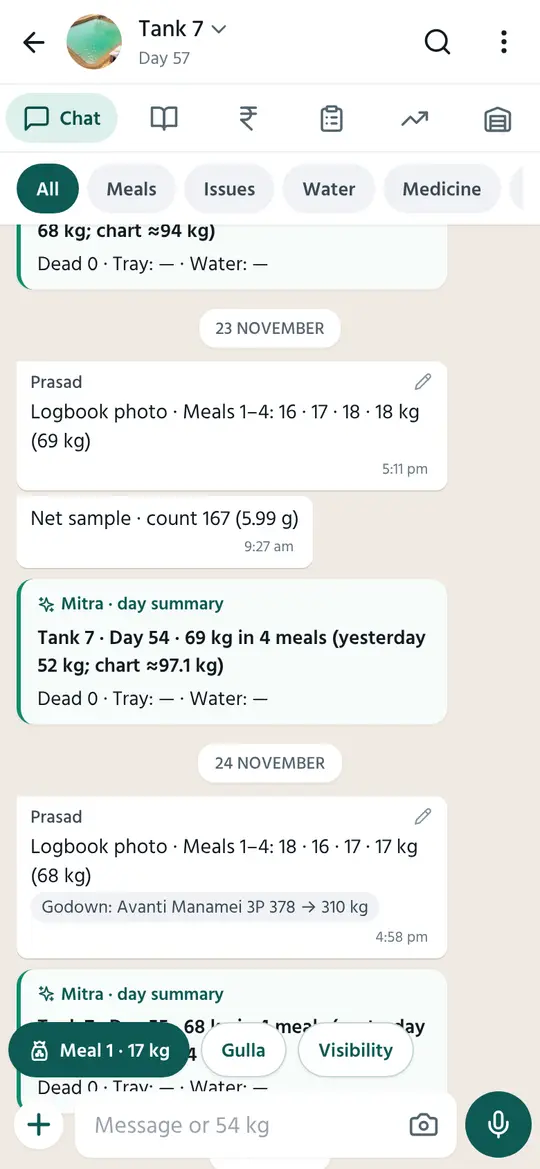
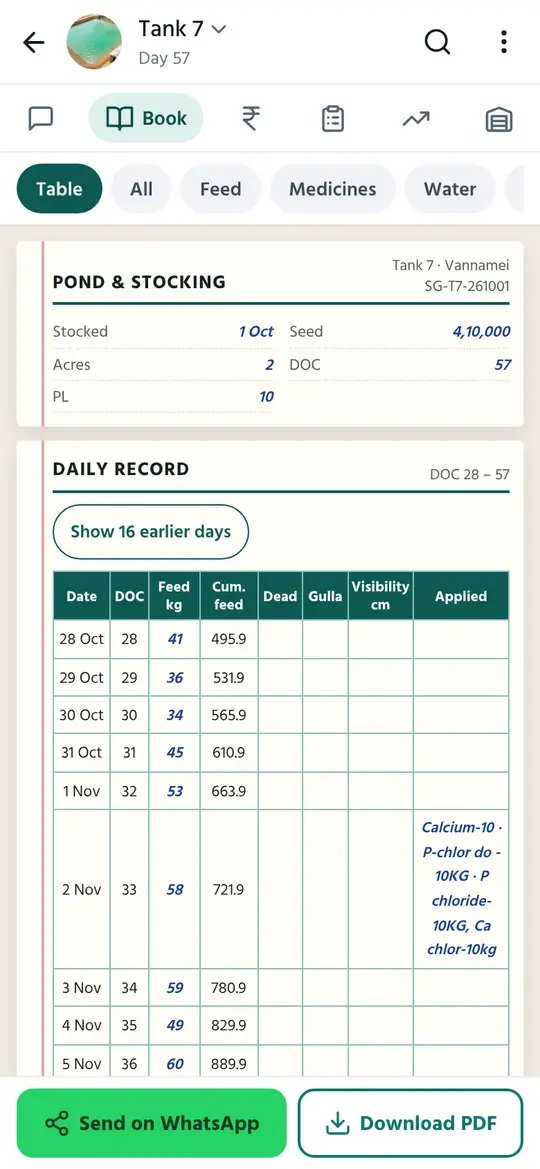
Pond Book screen: a pond's daily book with feed by meal, deaths and the running total
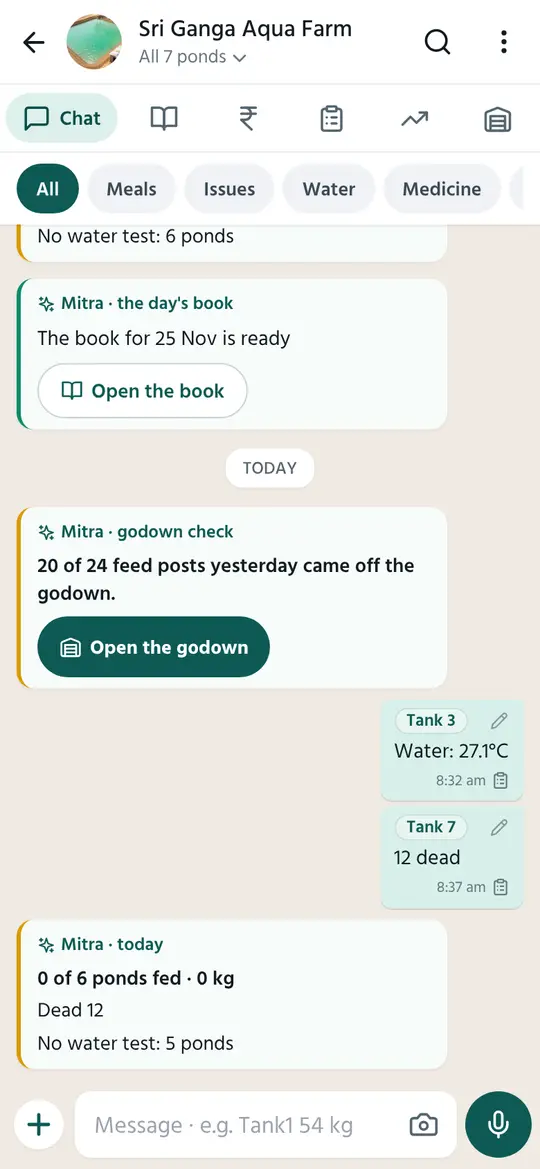
Pond Book screen: one chat for the whole farm, with each pond's feed and who wrote it

What is Pond Book (Pondbook)?

Pond Book (also written Pondbook) is a free app by Marine Mitra that runs a shrimp or fish farm from one phone. The owner, managers and pond workers write in one farm chat — by typing, a voice note or a photo of the paper logbook — and Mitra, its AI assistant, turns it into each pond's daily book: feed by meal, deaths, water tests, net samples, medicine and bills. It also keeps the farm's khata, godown stock, staff salaries, tasks and harvests, and shows today's shrimp prices and licensed hatcheries. It works without signal, in 10 Indian languages. Get it on Google Play or open pondbook.marinemitra.com.

Less calling, less guessing

Stop chasing. Start seeing.

For owners

Stop calling the manager every evening.

  • Calling to ask each pond's feed and deaths
  • Bills in a drawer — the crop's cost unknown
  • Finding out the feed is over when it is over

See every pond, every rupee and every bag of feed as it is written — on your phone.

Start free
For managers and workers

Stop writing everything twice.

  • The paper book, then WhatsApp, then a call
  • The owner doubting your numbers
  • Turning old pages to find one day

Write once in the farm chat — type, talk or photograph the page. Your work is on record, with your name and the time.

See how it works

Why farms switch

Write. See. Grow.

Write

The way you already talk

Type “54 kg”, “Meal 2 18 kg” or “12 dead”, send a voice note or photograph the logbook. Mitra puts it in the right pond — even with no signal.

See

Every pond, every rupee

Each pond's book, growth charts, the khata, feed left in the godown and staff pay — updated the moment your team writes.

Grow

Act before it is too late

Picture reminders for dawn oxygen, feed time and moult days, FCR and harvest worked out for you, and today's shrimp price, count by count.

How it works

From the pond to your phone.

Pond Book screen: writing the day in a pond's chat like a WhatsApp message
1

Write it in the chat.

Type, talk or take a photo at the pond. Mitra reads it and files it in the right pond's book.

  • “Meal 2 18 kg”, “12 dead”, a photo of the water test
  • Photograph a paper logbook page — nothing is saved until you check it
  • Saves with no signal; sends itself when signal returns
Pond Book screen: a pond's daily book, ready to send on WhatsApp
2

Every pond gets its book.

One clean table per pond, day by day, with the running total — the same page for owner, manager and partner.

  • Feed by meal, deaths, water tests and net samples
  • Charts for growth, feed and deaths
  • Send it on WhatsApp or save it as a PDF
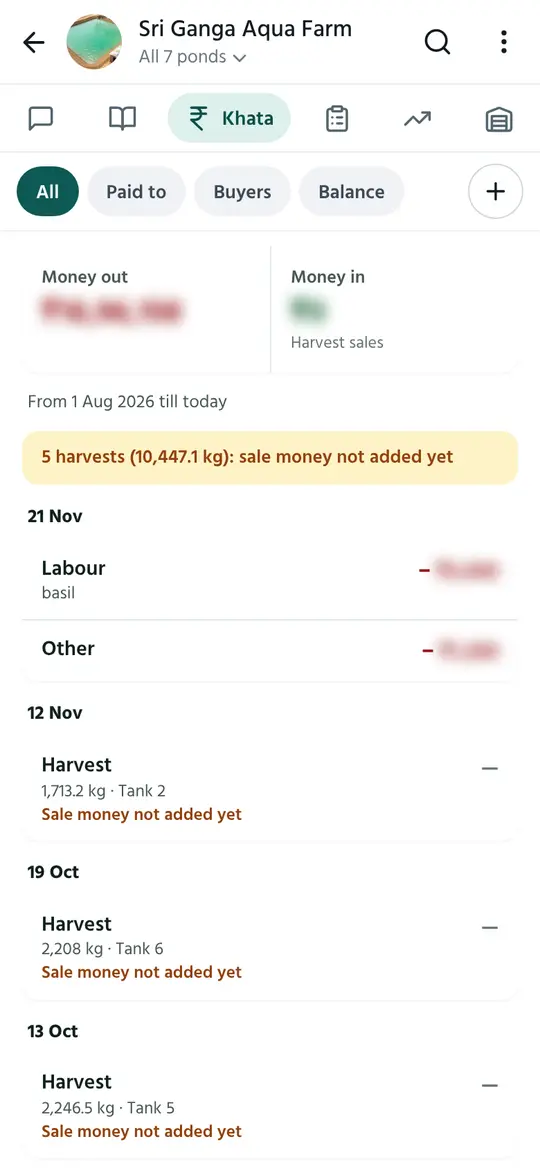
Pond Book screen: the farm's khata, money in and money out
3

Know where every rupee goes.

Money in and out, farm by farm, so you know what the crop really cost.

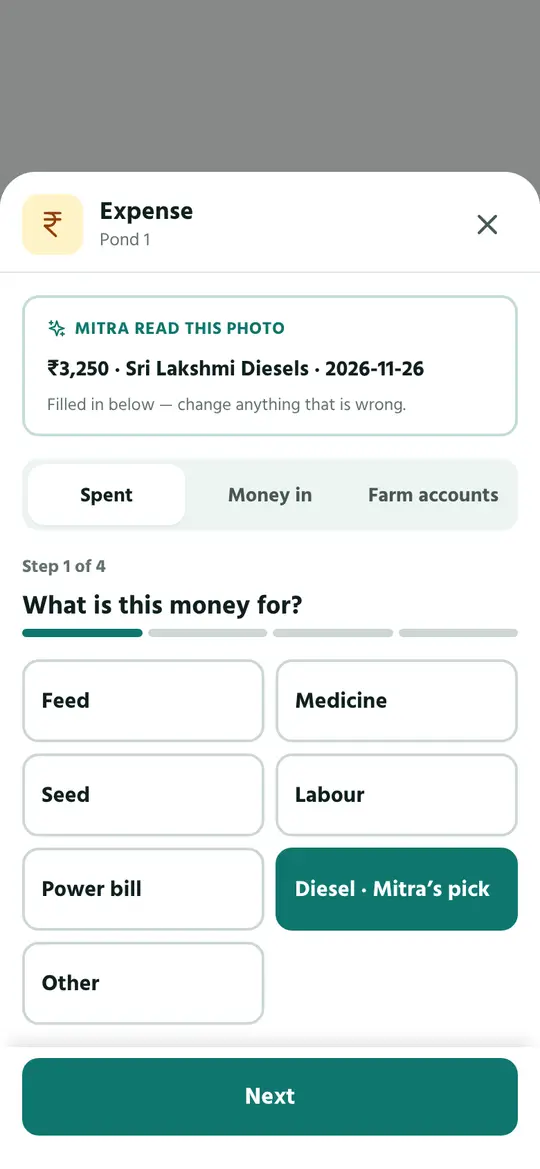
  • A bill from a PhonePe or GPay screenshot, read by Mitra
  • Feed bags in, meals out — and how many days the stock will last
  • Salaries and advances, with what is still owed. Workers never see money
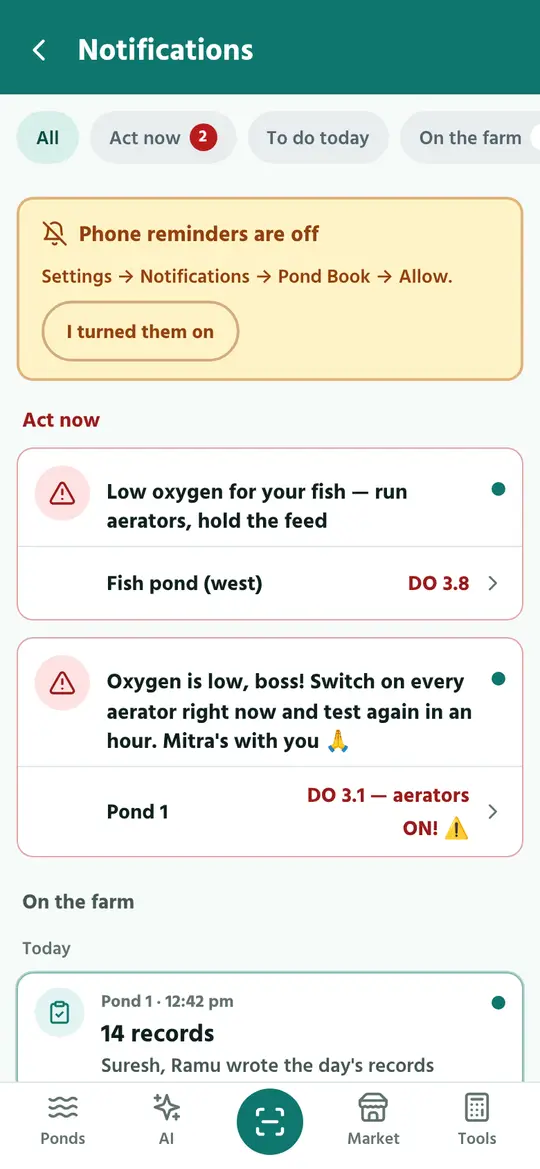
Pond Book screen: reminders that come as pictures
4

Act in time. Sell at the right price.

Mitra watches your ponds' records and tells you what needs doing — before it is too late.

  • Dawn oxygen, feed time, moult days and rain, as pictures
  • Ask Mitra “when should I harvest?” — answered from your own pond
  • Today's shrimp prices, count by count, and licensed hatcheries

Every feature

Everything your farm needs, in one app.

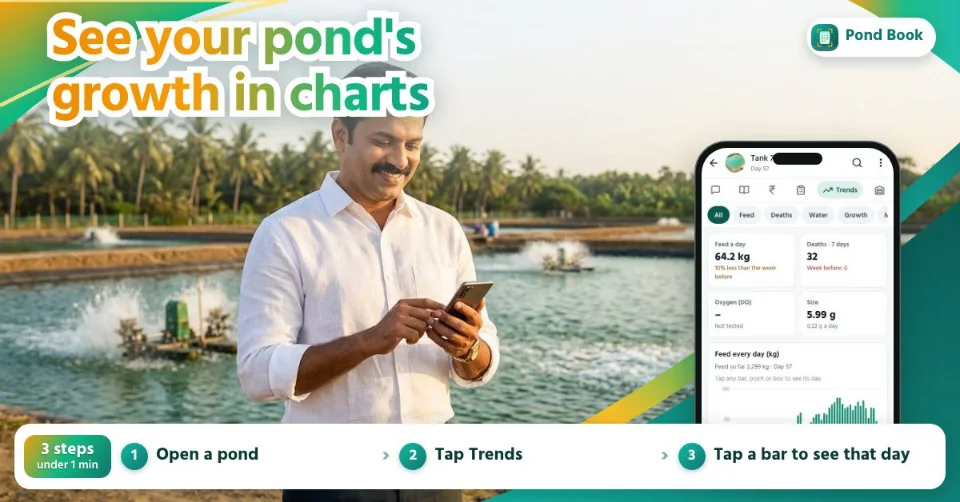
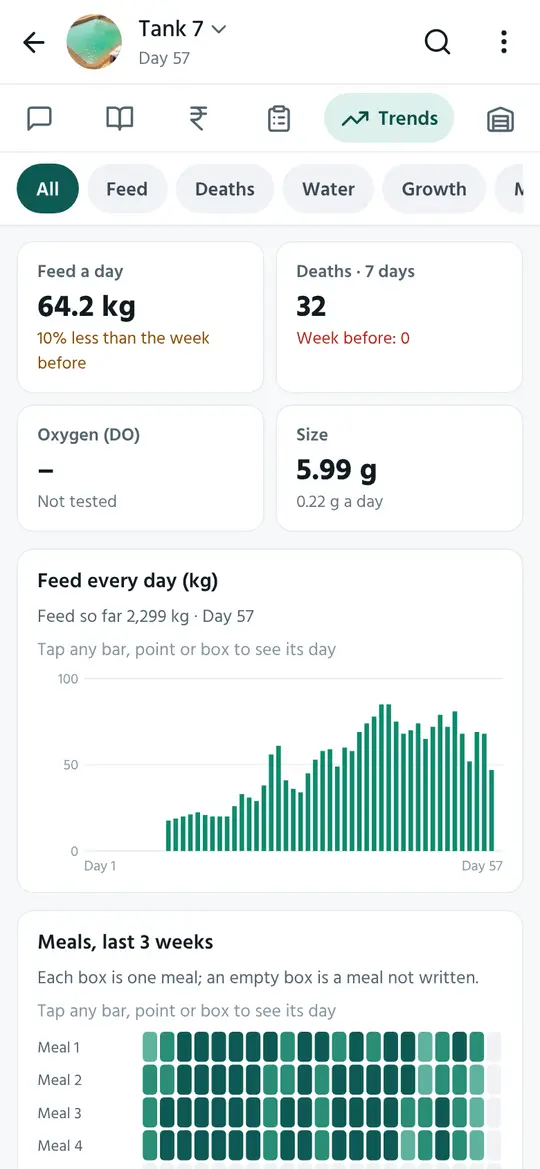
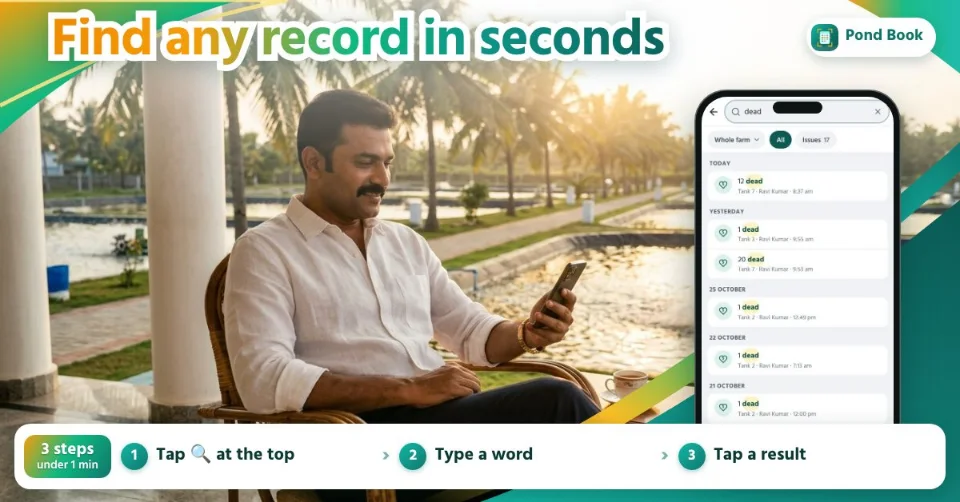
Real screens from a shrimp farm in Andhra Pradesh that writes in Pond Book every day (names changed, money hidden). Pick a part of the app, then tap “3 steps” on any card.

Farms & chats

Pond Book tip: All your farms in one list

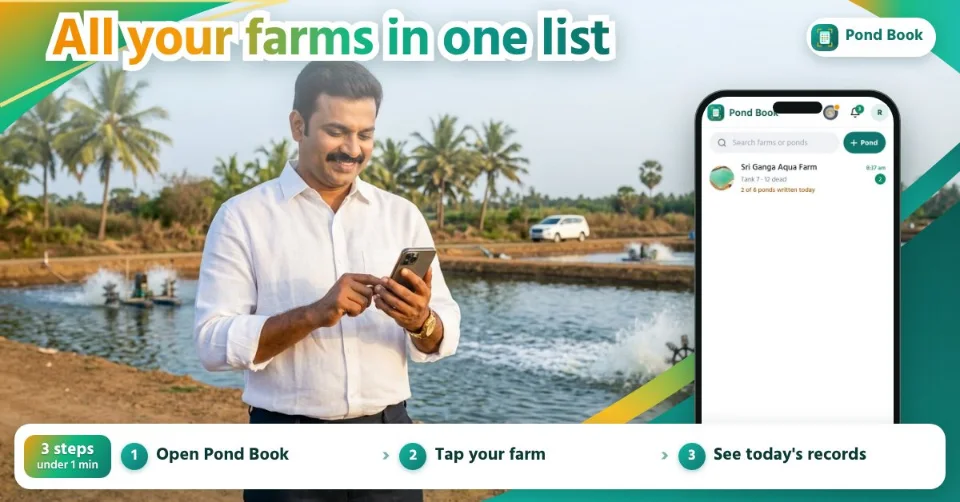
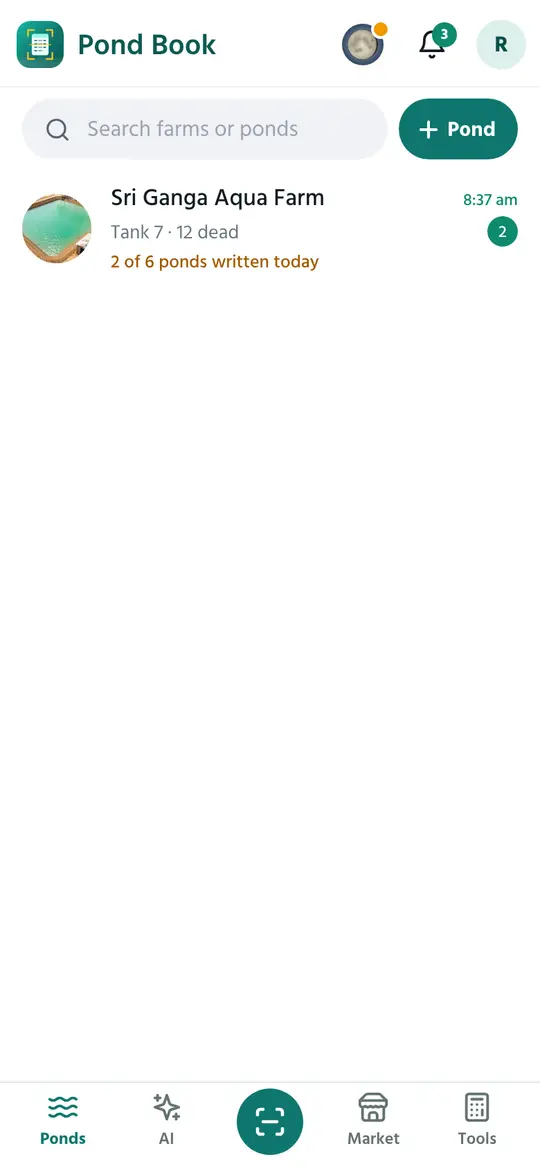
All your farms in one list

Every farm opens like a WhatsApp chat. A green number shows new records, and a line says how many ponds are written today.

3 steps · see the screen
Pond Book screen: All your farms in one list
  1. Open Pond Book
  2. Tap your farm
  3. See today's records
Pond Book tip: One chat for the whole farm

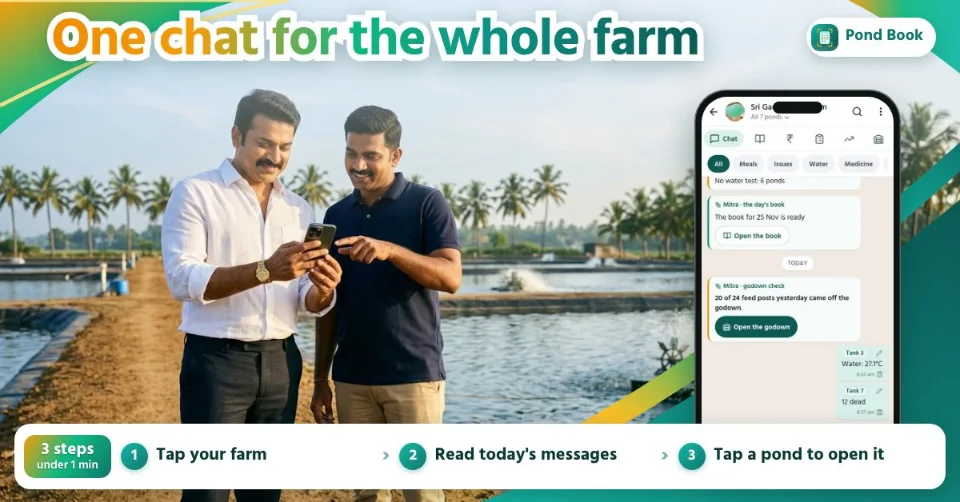
One chat for the whole farm

Feed, deaths, water and bills from every pond come into one farm chat, with who wrote it and when.

3 steps · see the screen
Pond Book screen: One chat for the whole farm
  1. Tap your farm
  2. Read today's messages
  3. Tap a pond to open it
Pond Book tip: Write the day like a WhatsApp message

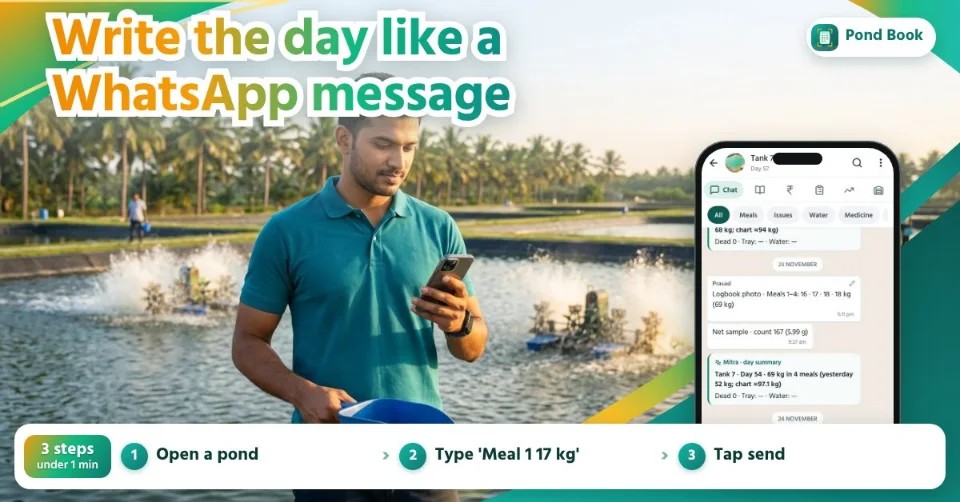
Write the day like a WhatsApp message

Type '54 kg', 'Meal 2 18 kg' or '12 dead' and Mitra puts it in the right place. Voice and photos work too.

3 steps · see the screen
Pond Book screen: Write the day like a WhatsApp message
  1. Open a pond
  2. Type 'Meal 1 17 kg'
  3. Tap send

Pond tabs

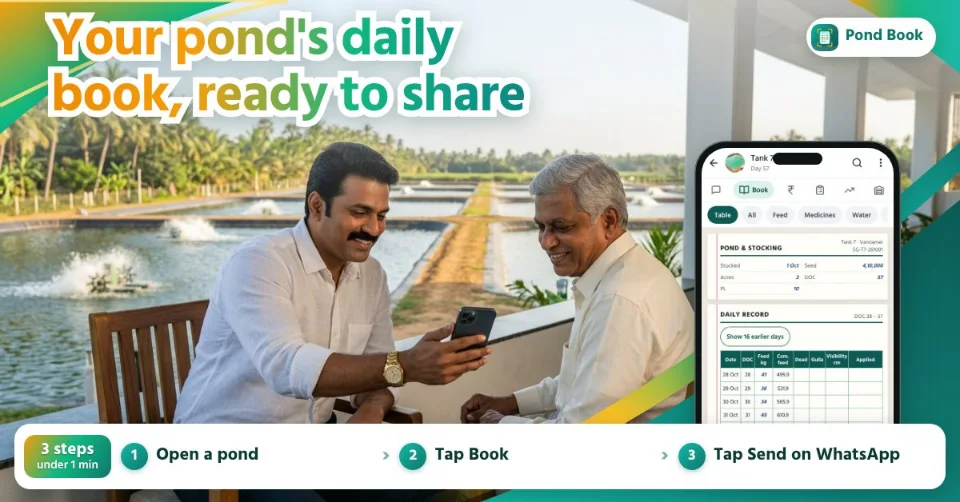
Pond Book tip: Your pond's daily book, ready to share

Your pond's daily book, ready to share

Every day's feed, deaths and water in one table, with the running total. Send it on WhatsApp or save it as a PDF.

3 steps · see the screen
Pond Book screen: Your pond's daily book, ready to share
  1. Open a pond
  2. Tap Book
  3. Tap Send on WhatsApp
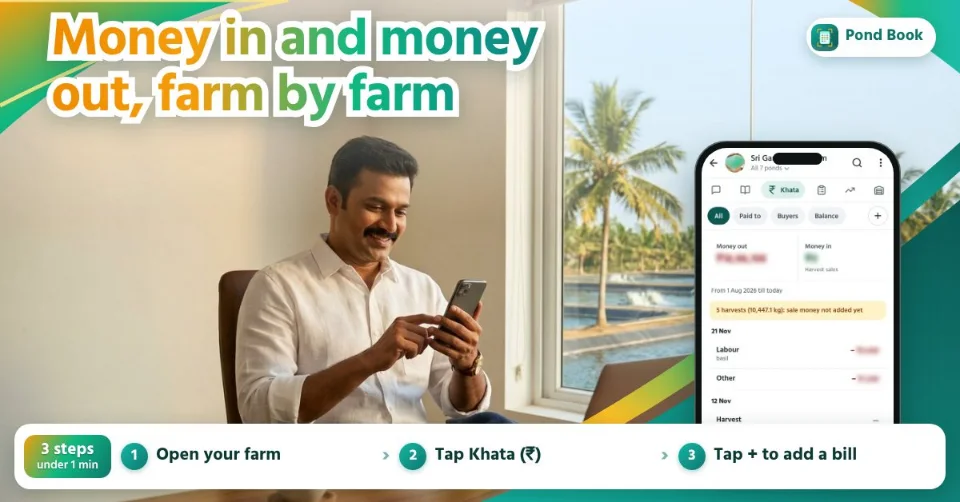
Pond Book tip: Money in and money out, farm by farm

Money in and money out, farm by farm

Bills, labour, diesel and harvest money in one place, so you know what the crop really cost.

3 steps · see the screen
Pond Book screen: Money in and money out, farm by farm
  1. Open your farm
  2. Tap Khata (₹)
  3. Tap + to add a bill
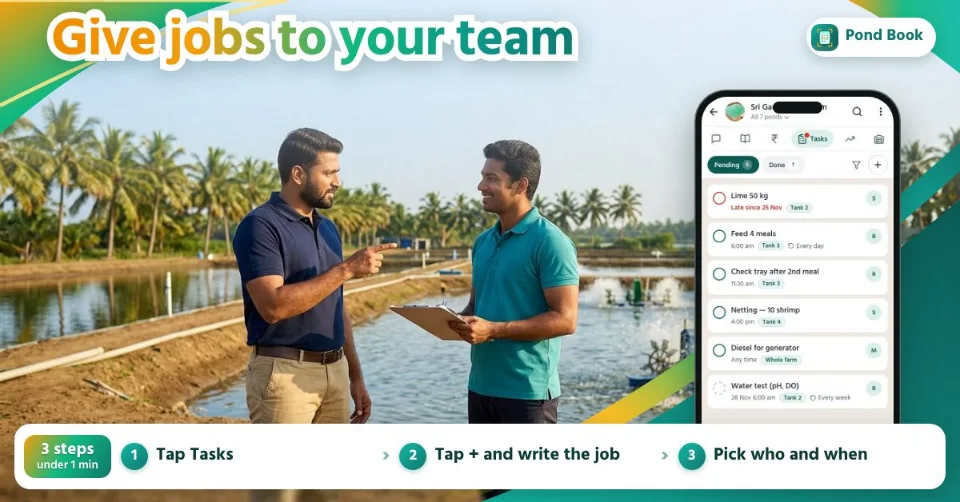
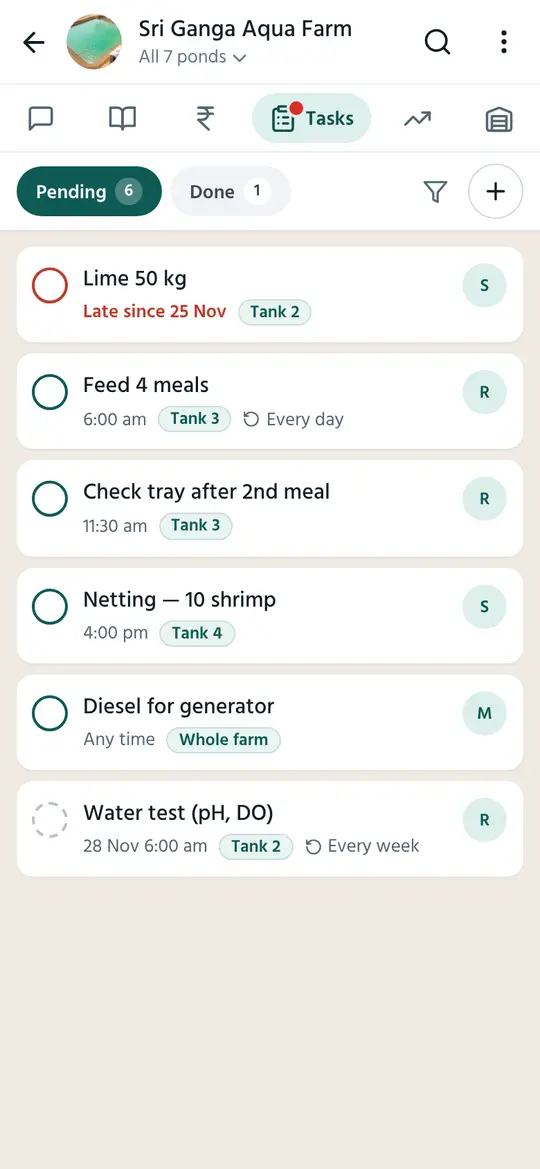
Pond Book tip: Give jobs to your team

Give jobs to your team

Lime, netting, check tray: give a job with a time. Your worker gets a reminder and ticks it done.

3 steps · see the screen
Pond Book screen: Give jobs to your team
  1. Tap Tasks
  2. Tap + and write the job
  3. Pick who and when
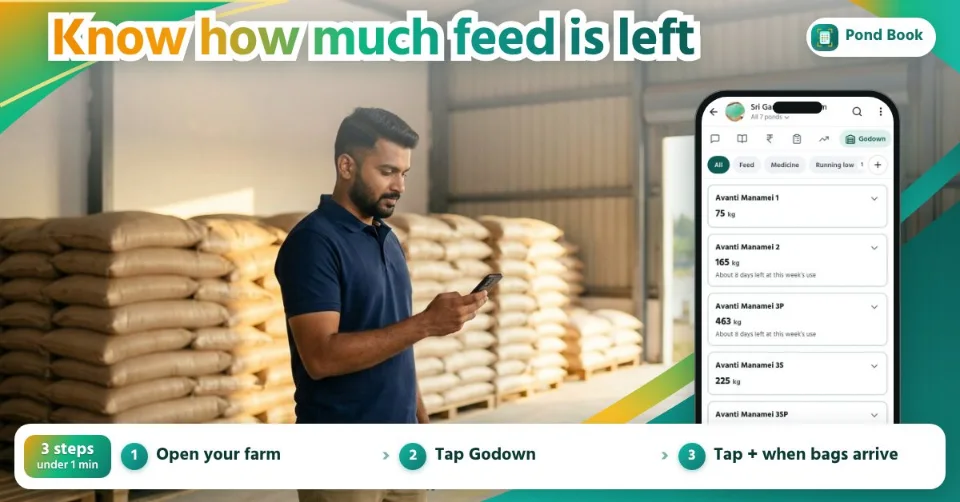
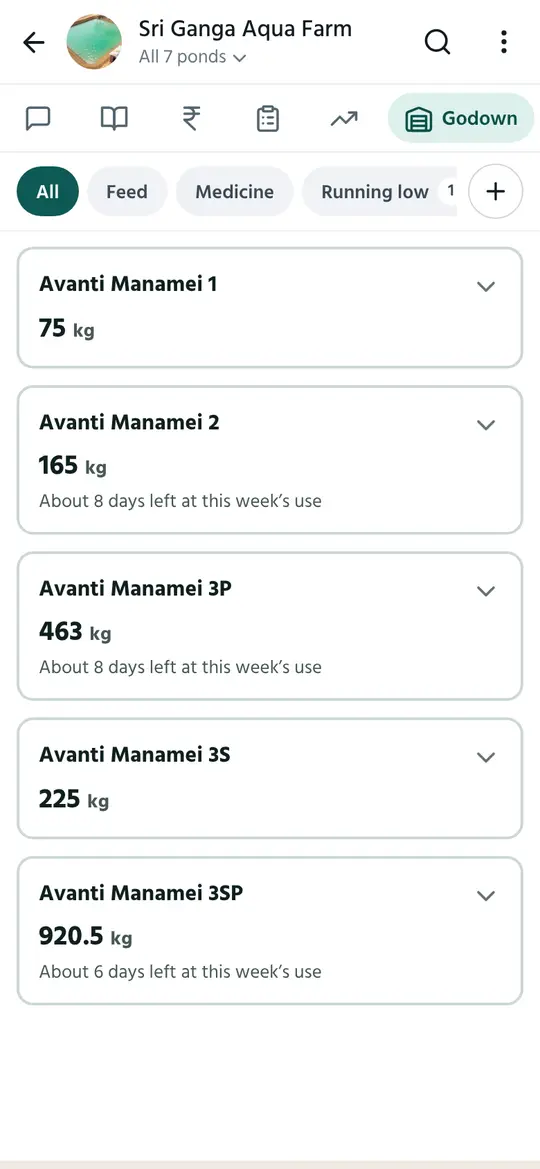
Pond Book tip: Know how much feed is left

Know how much feed is left

Every bag in and every meal out: Pond Book counts the stock and tells you how many days it will last.

3 steps · see the screen
Pond Book screen: Know how much feed is left
  1. Open your farm
  2. Tap Godown
  3. Tap + when bags arrive

⋮ Menu

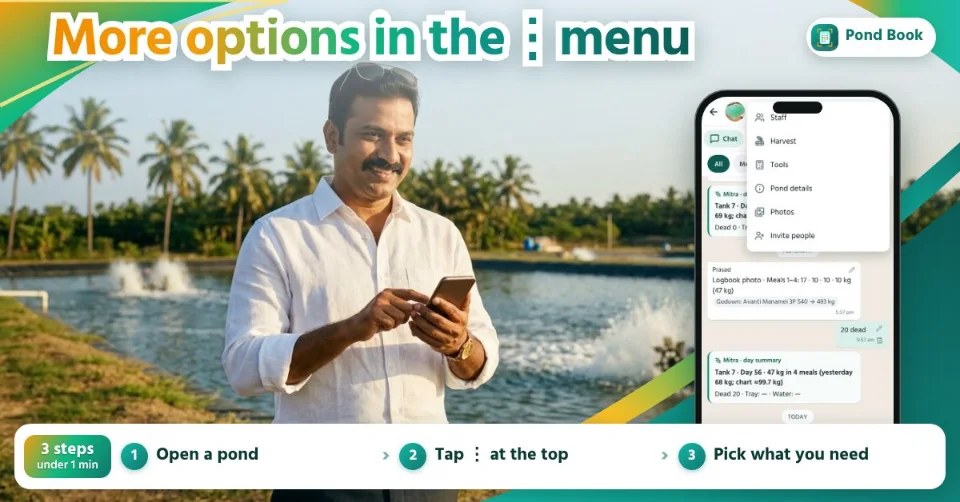
Pond Book tip: More options in the ⋮ menu

More options in the ⋮ menu

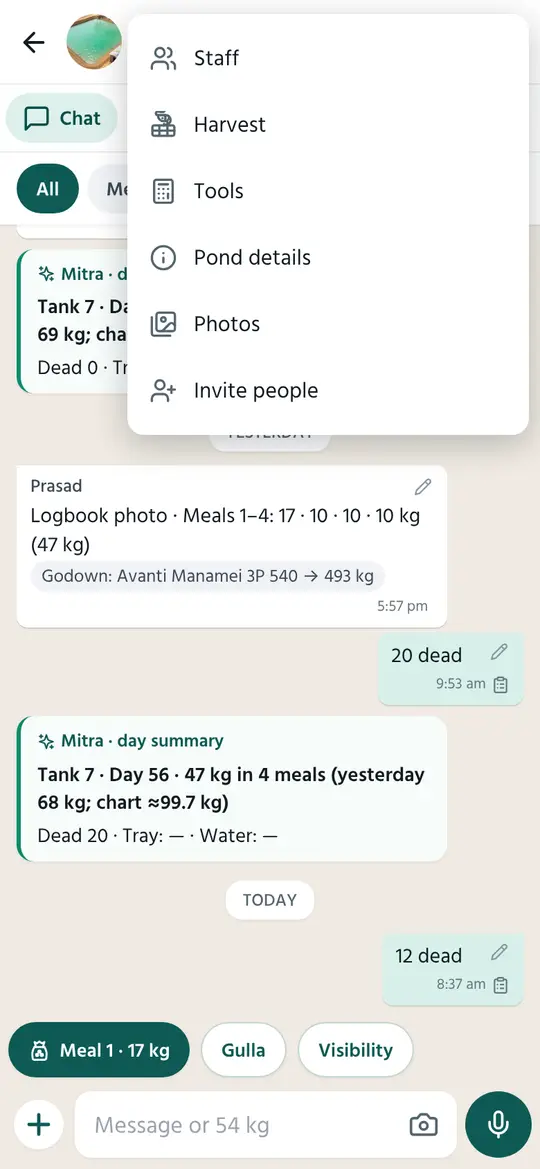
Staff, Harvest, Tools, Pond details, Photos and Invite are one tap away in the three-dot menu.

3 steps · see the screen
Pond Book screen: More options in the ⋮ menu
  1. Open a pond
  2. Tap ⋮ at the top
  3. Pick what you need
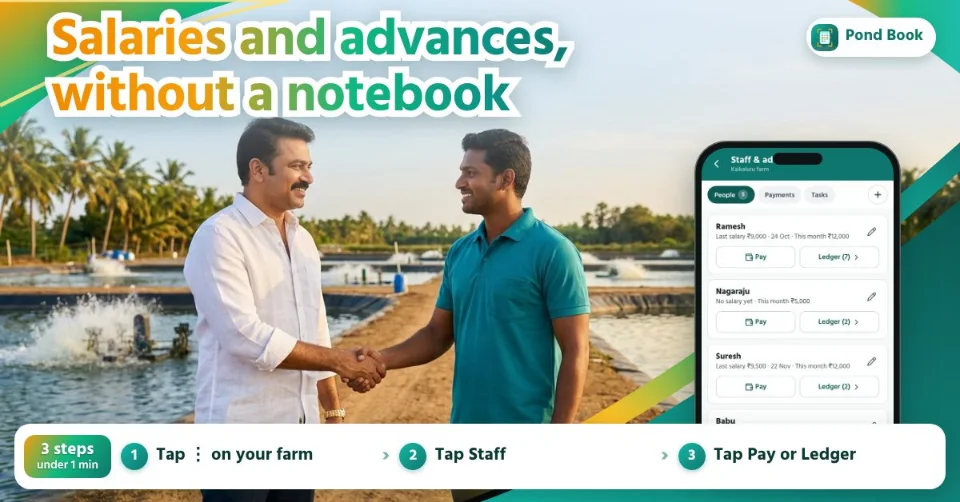
Pond Book tip: Salaries and advances, without a notebook

Salaries and advances, without a notebook

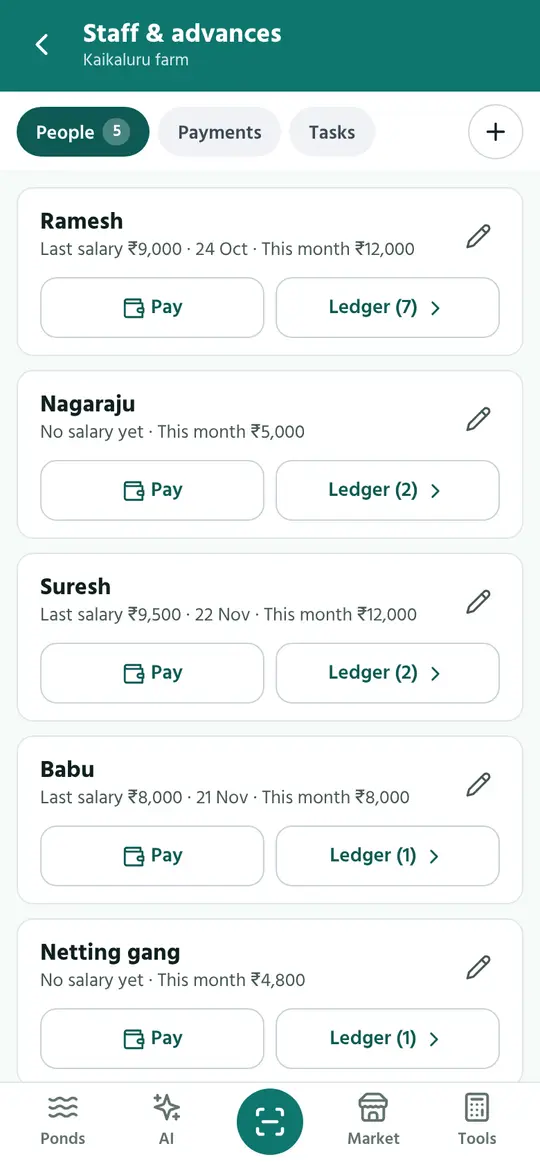
Each worker's salary, advance and payments in one list. Pond Book works out what is still owed.

3 steps · see the screen
Pond Book screen: Salaries and advances, without a notebook
  1. Tap ⋮ on your farm
  2. Tap Staff
  3. Tap Pay or Ledger
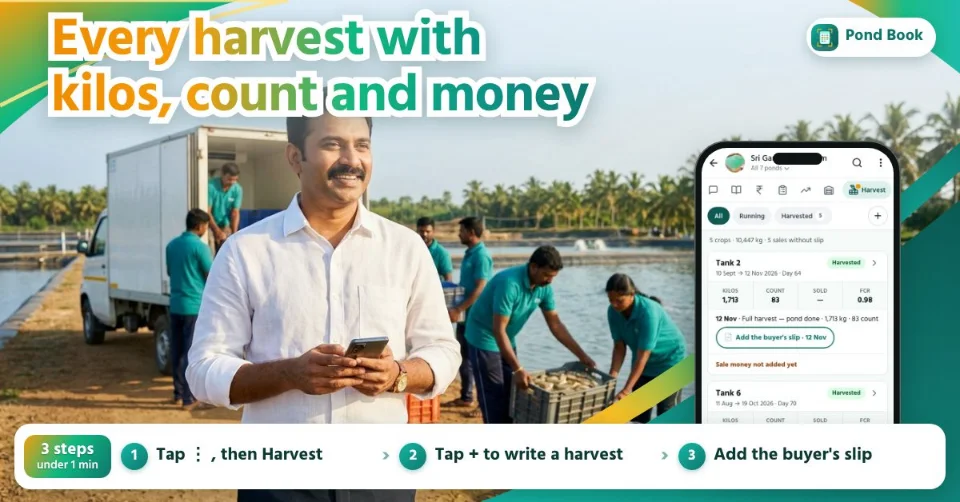
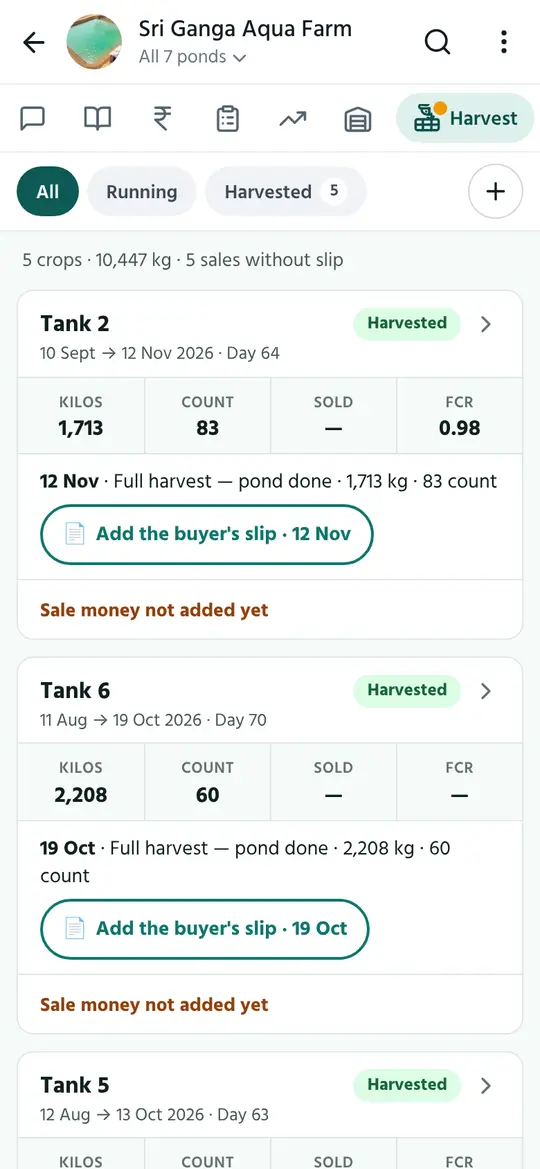
Pond Book tip: Every harvest with kilos, count and money

Every harvest with kilos, count and money

Write part and full harvests, add the buyer's slip, and see the FCR of each crop.

3 steps · see the screen
Pond Book screen: Every harvest with kilos, count and money
  1. Tap ⋮, then Harvest
  2. Tap + to write a harvest
  3. Add the buyer's slip
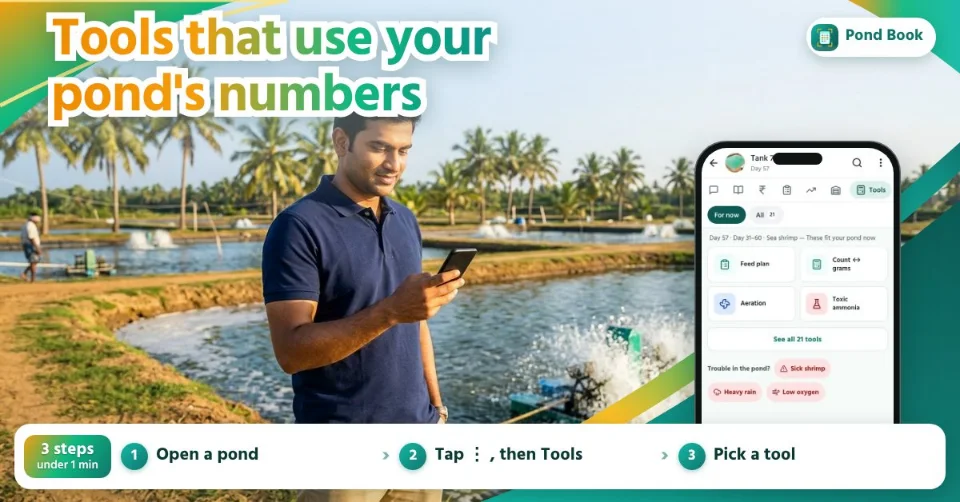
Pond Book tip: Tools that use your pond's numbers

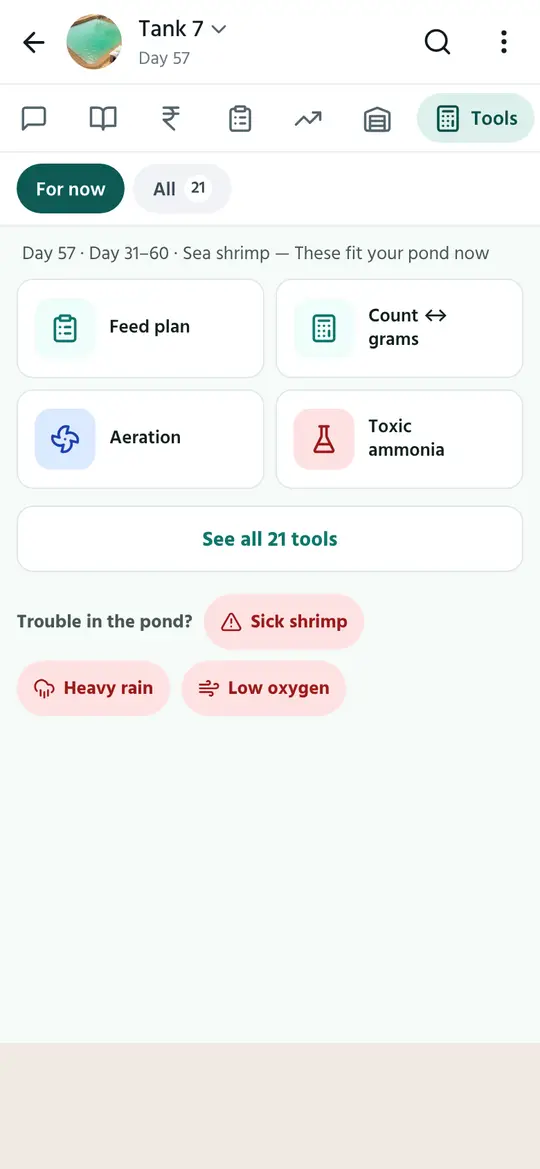
Tools that use your pond's numbers

Feed plan, count to grams, aeration and toxic ammonia, filled in from your pond and worked out in a second.

3 steps · see the screen
Pond Book screen: Tools that use your pond's numbers
  1. Open a pond
  2. Tap ⋮, then Tools
  3. Pick a tool

Write & search

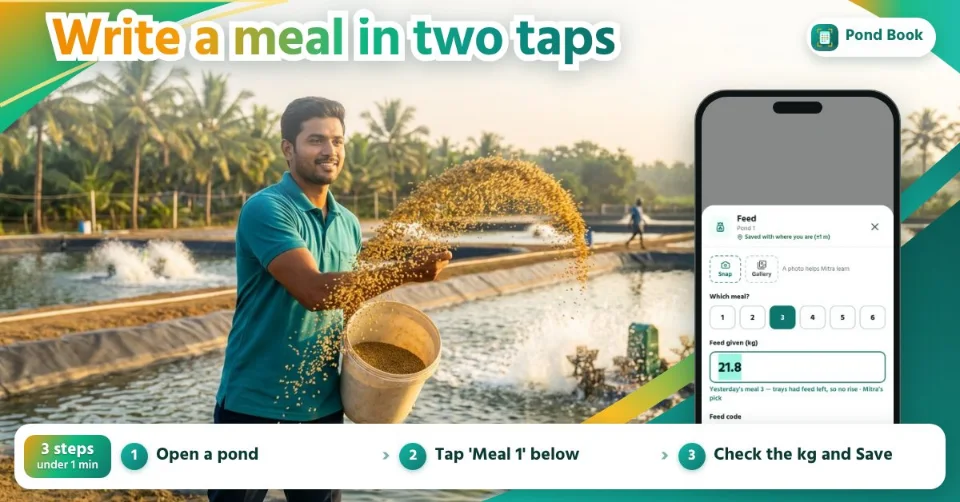
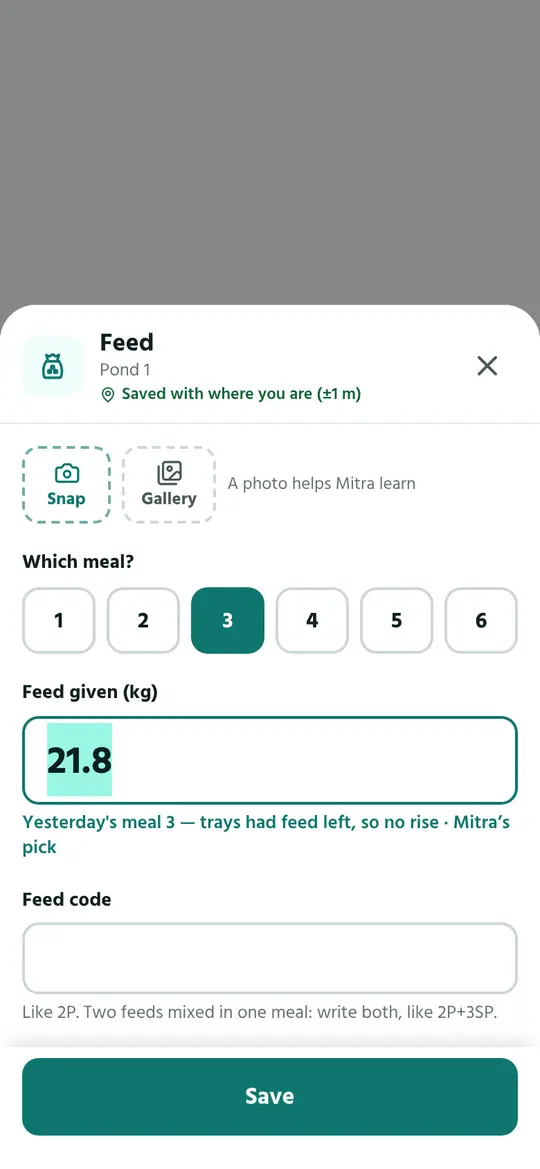
Pond Book tip: Write a meal in two taps

Write a meal in two taps

Pick the meal; the kilos are filled in from yesterday. Check and Save. It saves even with no signal.

3 steps · see the screen
Pond Book screen: Write a meal in two taps
  1. Open a pond
  2. Tap 'Meal 1' below
  3. Check the kg and Save
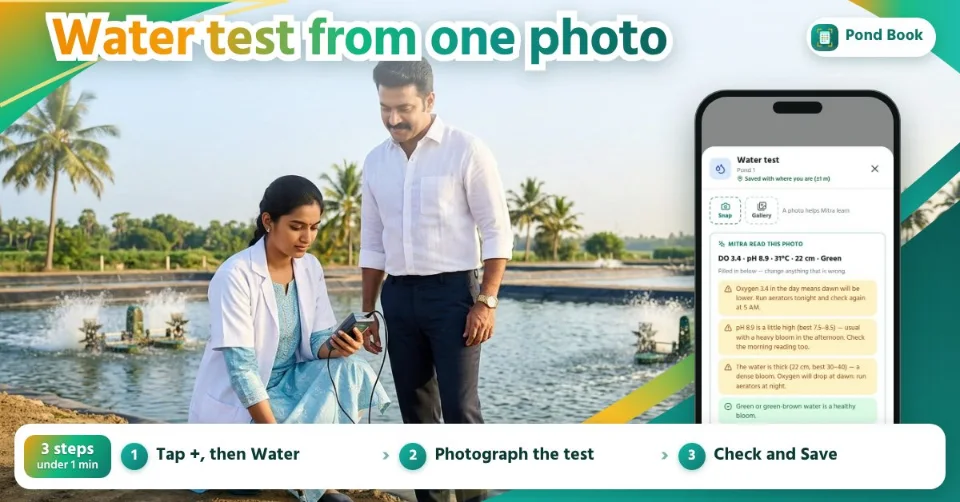
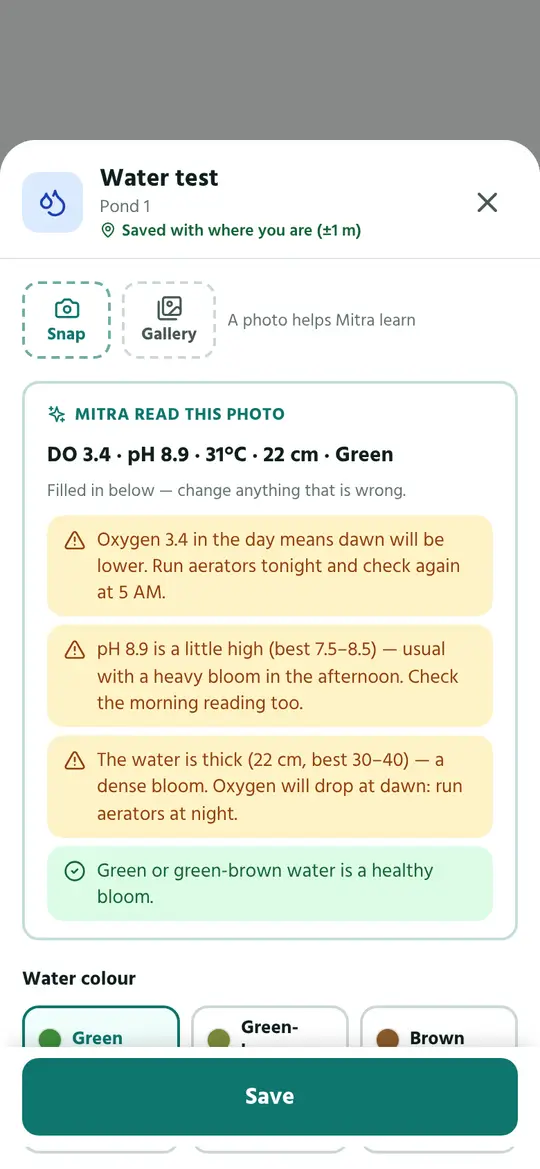
Pond Book tip: Water test from one photo

Water test from one photo

Take a photo of the test kit or lab report. Mitra reads DO, pH and more, and says what to do.

3 steps · see the screen
Pond Book screen: Water test from one photo
  1. Tap +, then Water
  2. Photograph the test
  3. Check and Save
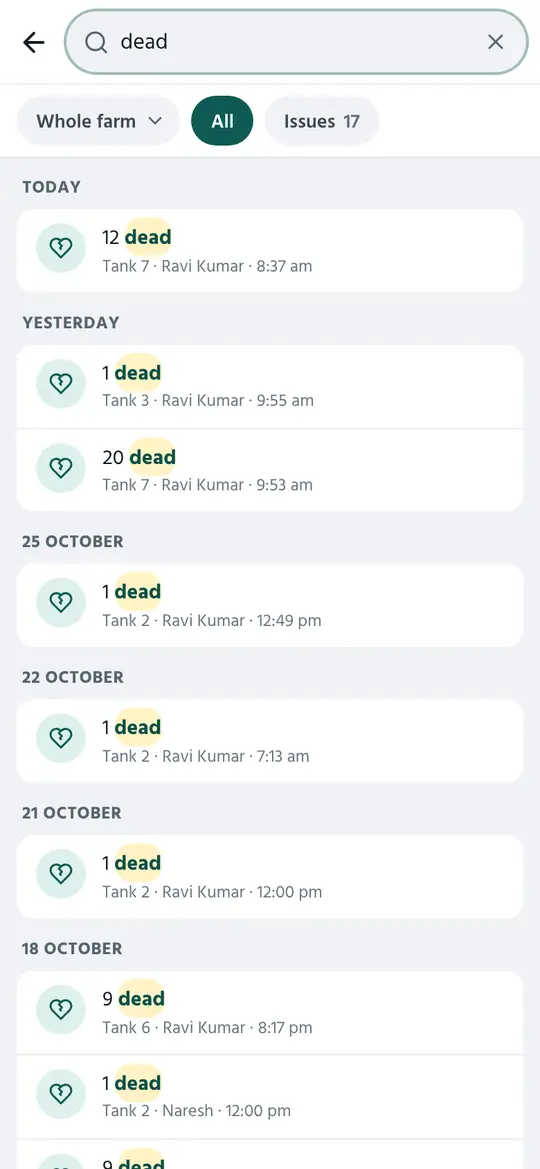
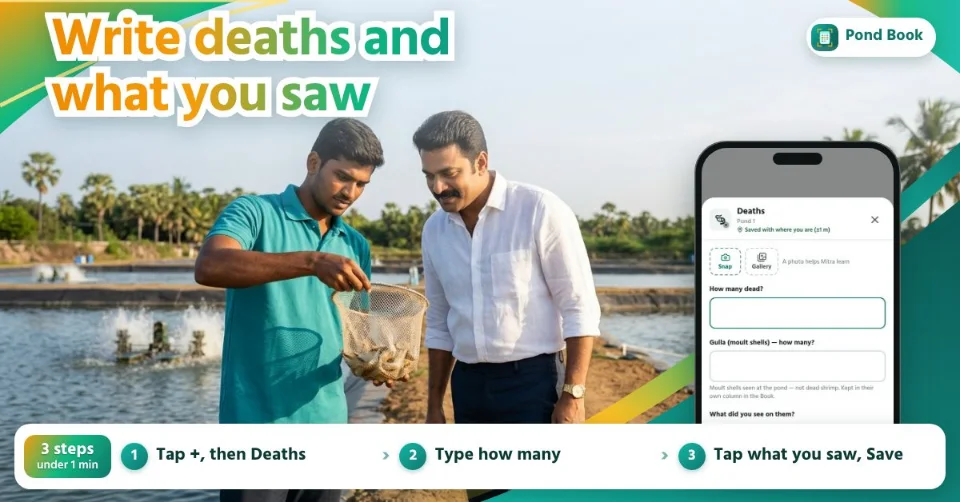
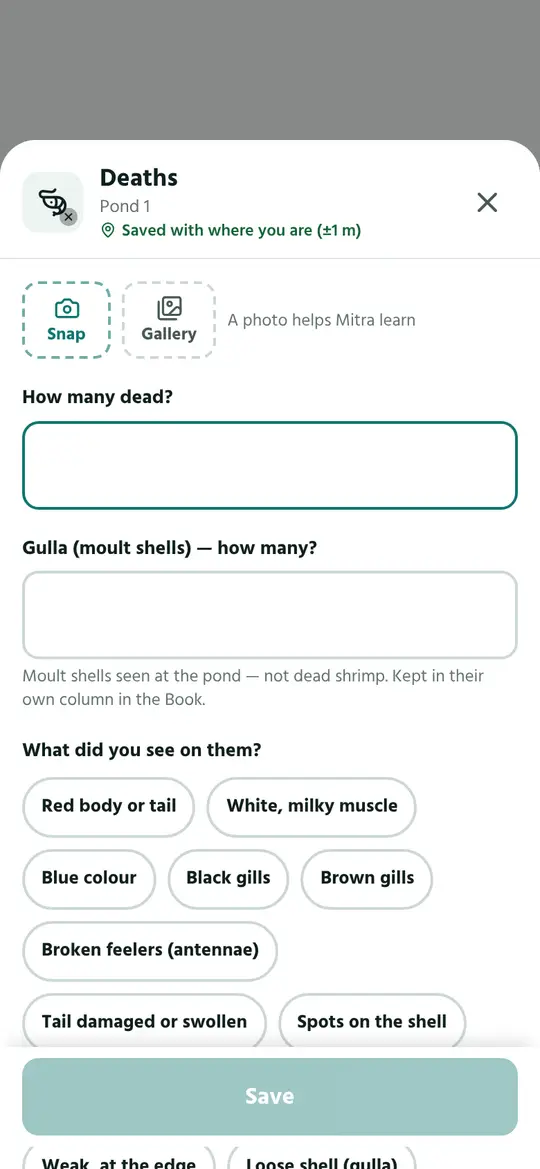
Pond Book tip: Write deaths and what you saw

Write deaths and what you saw

Count the dead and tap what they looked like, such as a red tail or white muscle. Mitra says what to check next.

3 steps · see the screen
Pond Book screen: Write deaths and what you saw
  1. Tap +, then Deaths
  2. Type how many
  3. Tap what you saw, Save
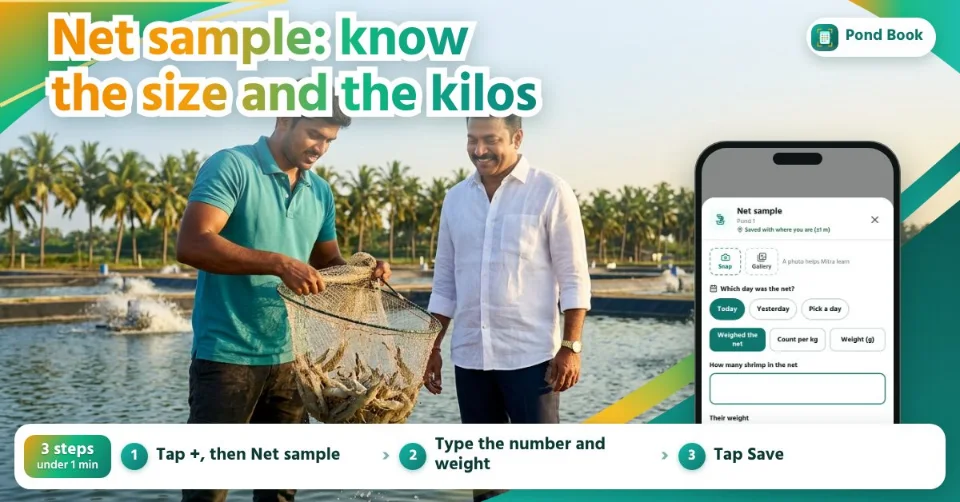
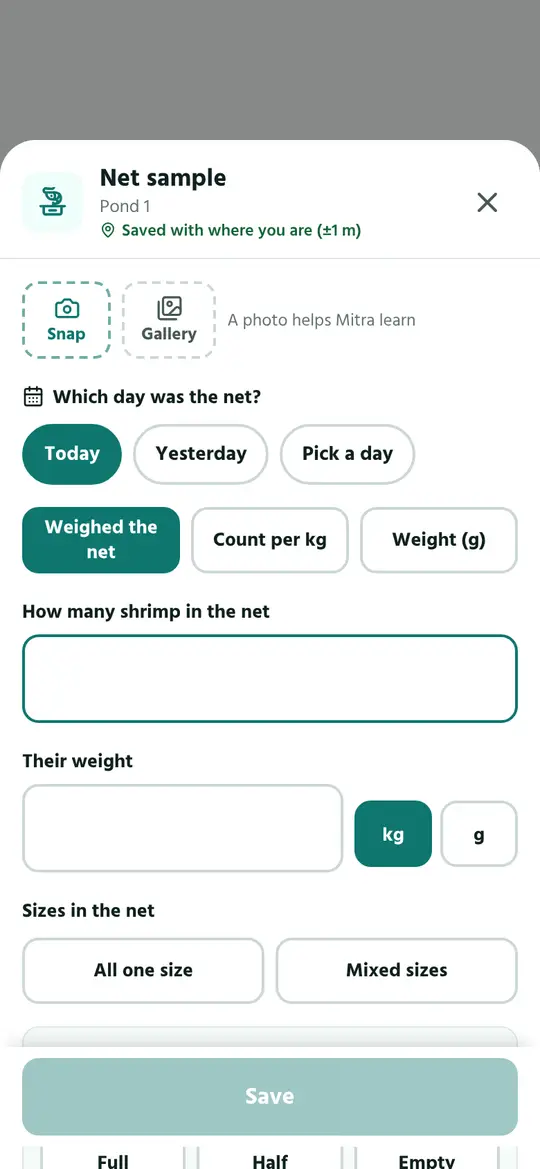
Pond Book tip: Net sample: know the size and the kilos

Net sample: know the size and the kilos

Write how many shrimp were in the net and their weight. Pond Book works out the count, the kilos in the pond and the FCR.

3 steps · see the screen
Pond Book screen: Net sample: know the size and the kilos
  1. Tap +, then Net sample
  2. Type the number and weight
  3. Tap Save
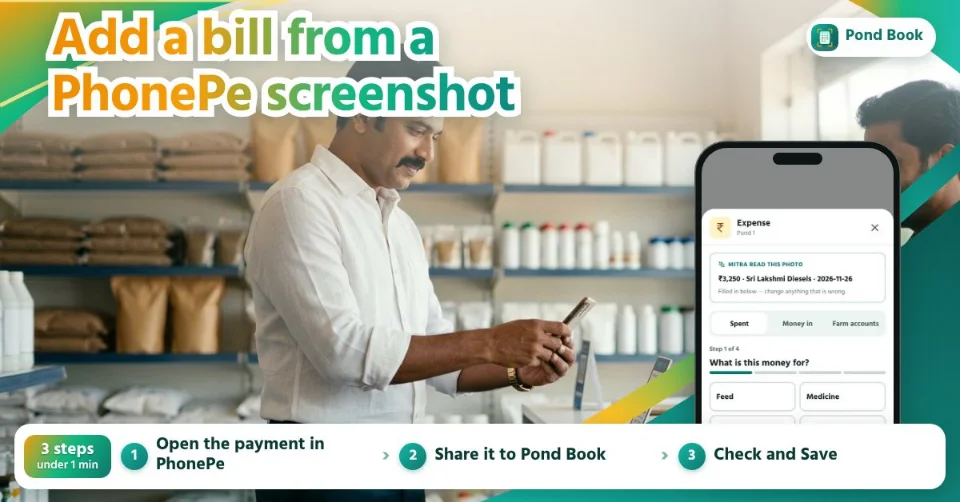
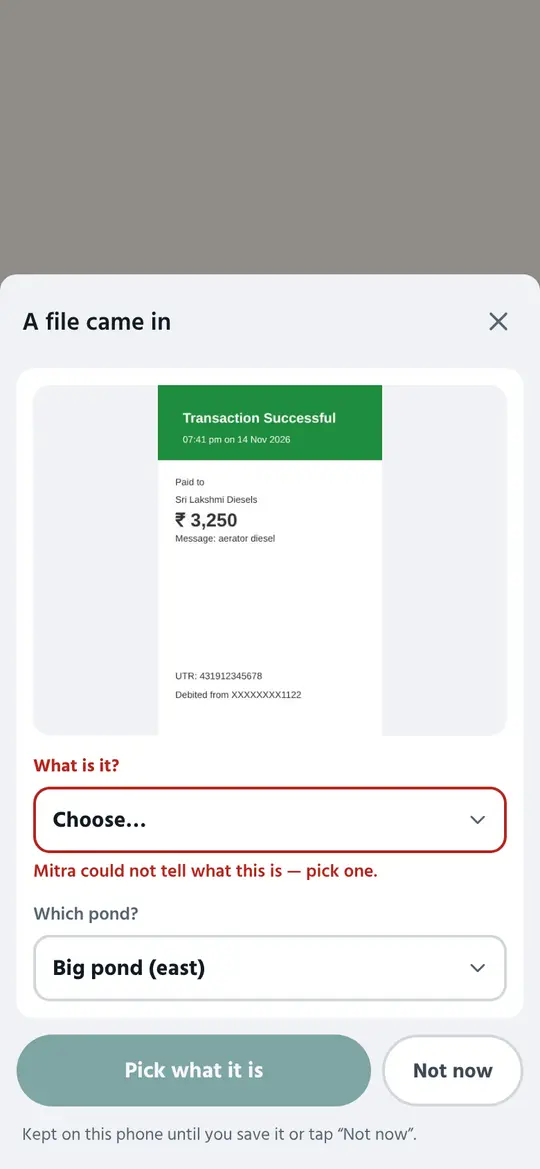
Pond Book tip: Add a bill from a PhonePe screenshot

Add a bill from a PhonePe screenshot

Share a PhonePe or GPay screenshot to Pond Book. Mitra reads the amount and who was paid.

3 steps · see the screen
Pond Book screen: Add a bill from a PhonePe screenshot
  1. Open the payment in PhonePe
  2. Share it to Pond Book
  3. Check and Save

Photos & Mitra AI

Pond Book tip: Photograph your paper logbook

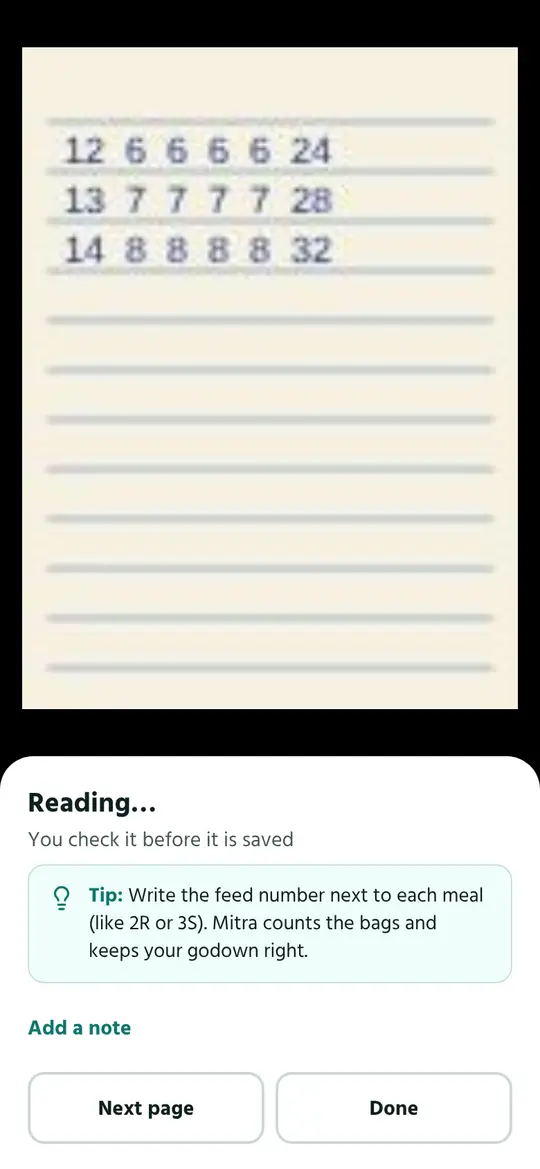
Photograph your paper logbook

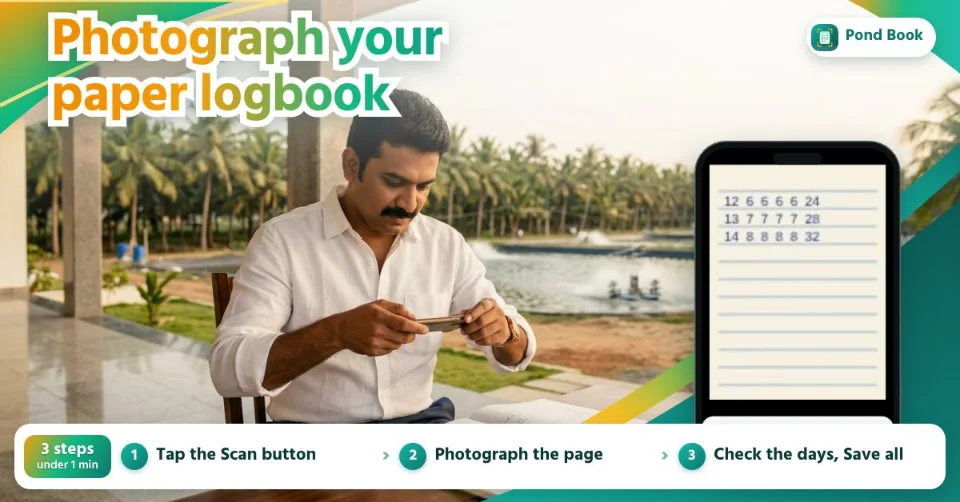
Scan a page of your notebook and Mitra copies every day's feed into the book. Nothing is saved until you check it.

3 steps · see the screen
Pond Book screen: Photograph your paper logbook
  1. Tap the Scan button
  2. Photograph the page
  3. Check the days, Save all
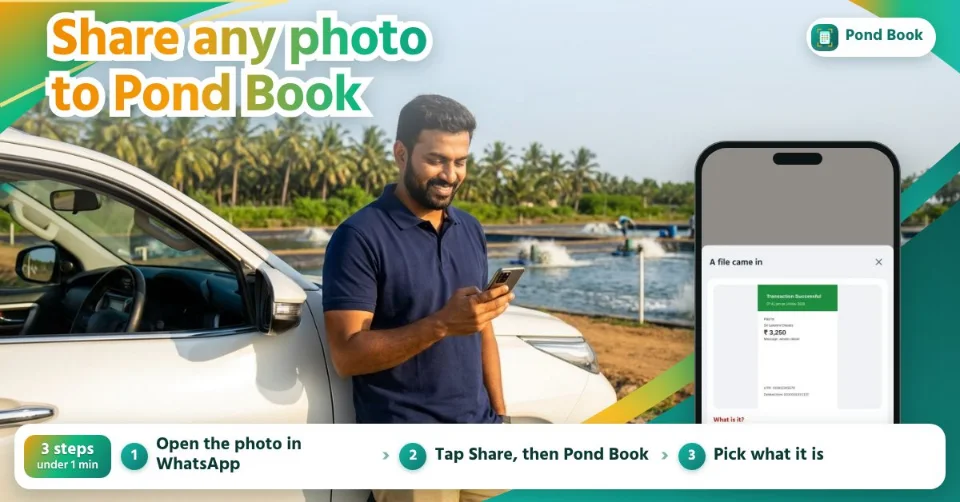
Pond Book tip: Share any photo to Pond Book

Share any photo to Pond Book

A bill, a lab report or a logbook page from WhatsApp: share it to Pond Book and it goes to the right place.

3 steps · see the screen
Pond Book screen: Share any photo to Pond Book
  1. Open the photo in WhatsApp
  2. Tap Share, then Pond Book
  3. Pick what it is
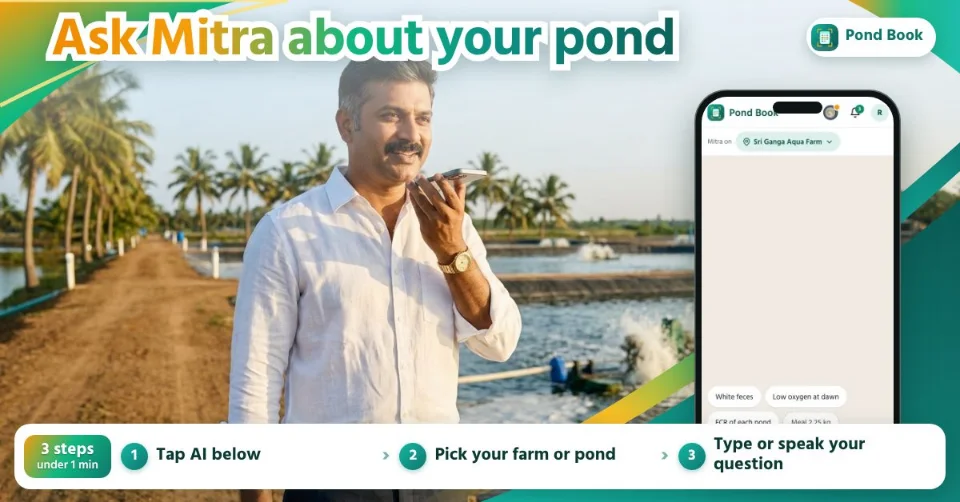
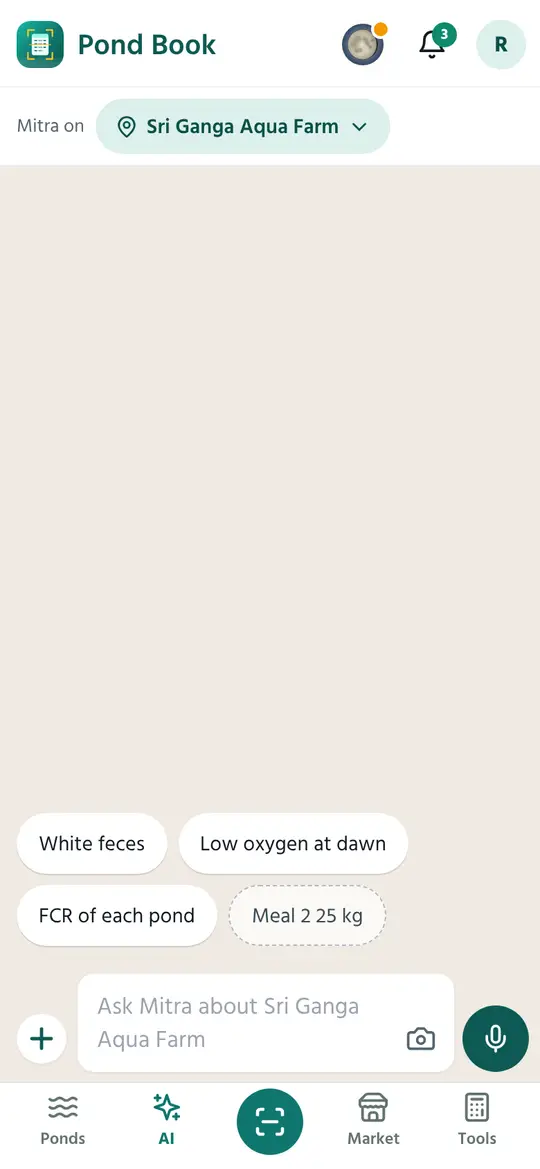
Pond Book tip: Ask Mitra about your pond

Ask Mitra about your pond

Ask 'why is the feed low?' or 'when should I harvest?' and Mitra answers from your pond's own records.

3 steps · see the screen
Pond Book screen: Ask Mitra about your pond
  1. Tap AI below
  2. Pick your farm or pond
  3. Type or speak your question

Market & tools

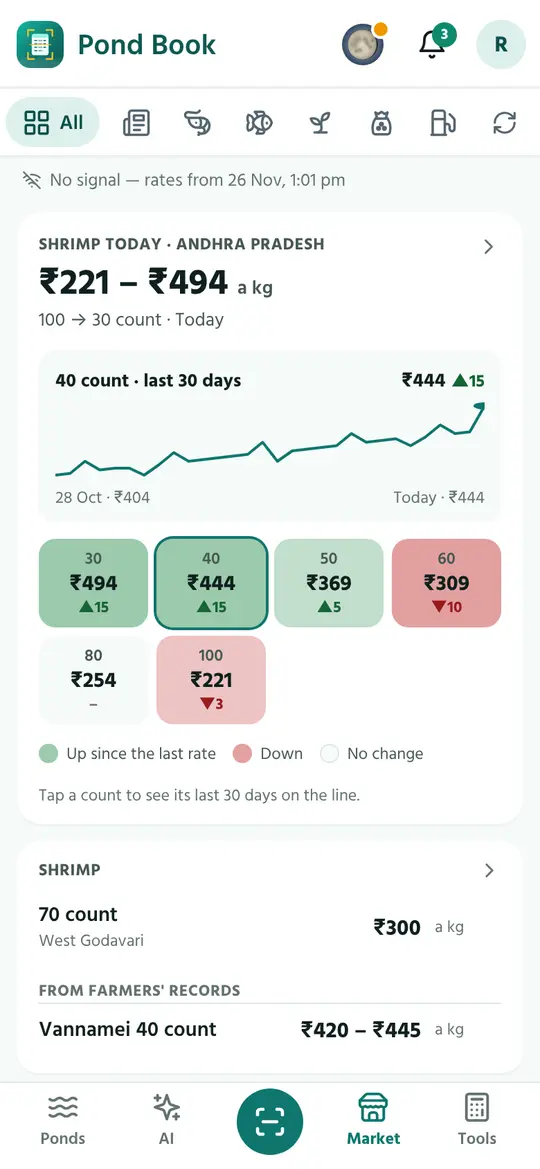
Pond Book tip: Today's shrimp prices, count by count

Today's shrimp prices, count by count

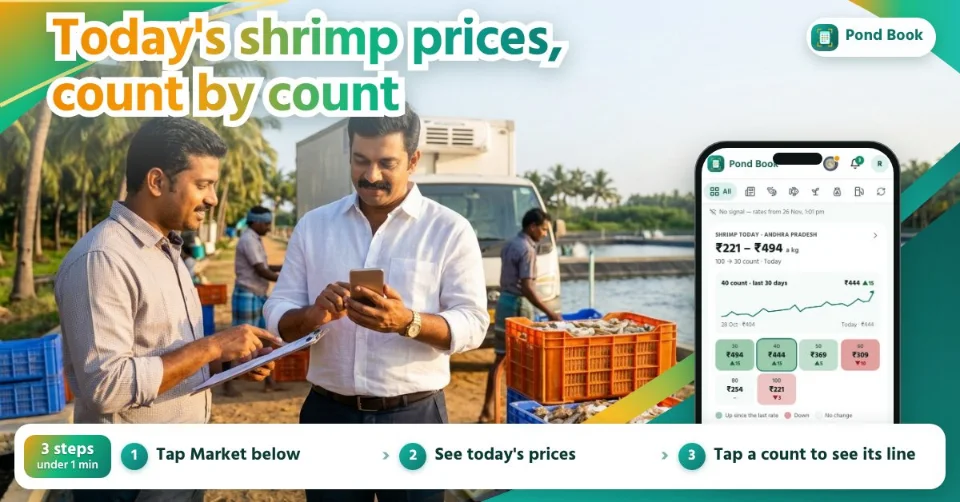
Prices from 20 to 100 count, green when up and red when down, with the last 30 days on a line.

3 steps · see the screen
Pond Book screen: Today's shrimp prices, count by count
  1. Tap Market below
  2. See today's prices
  3. Tap a count to see its line
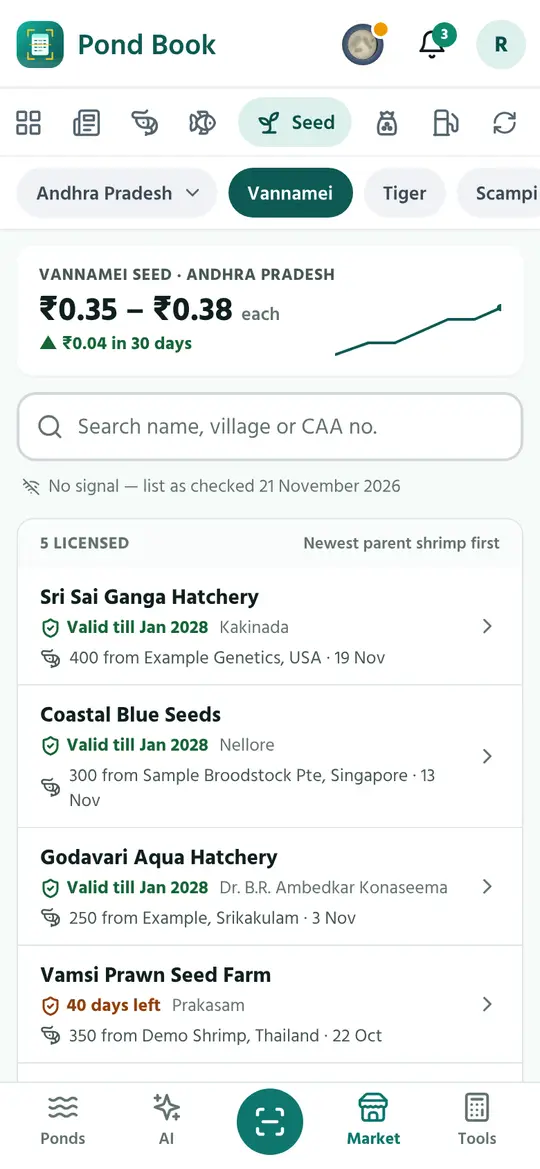
Pond Book tip: Find licensed hatcheries

Find licensed hatcheries

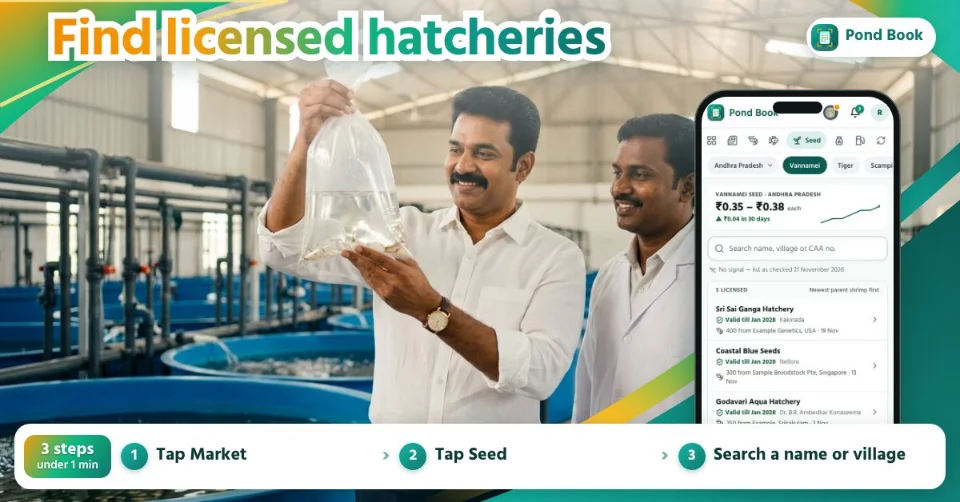
Seed prices and CAA-licensed hatcheries near you, newest broodstock first. Check before you buy seed.

3 steps · see the screen
Pond Book screen: Find licensed hatcheries
  1. Tap Market
  2. Tap Seed
  3. Search a name or village
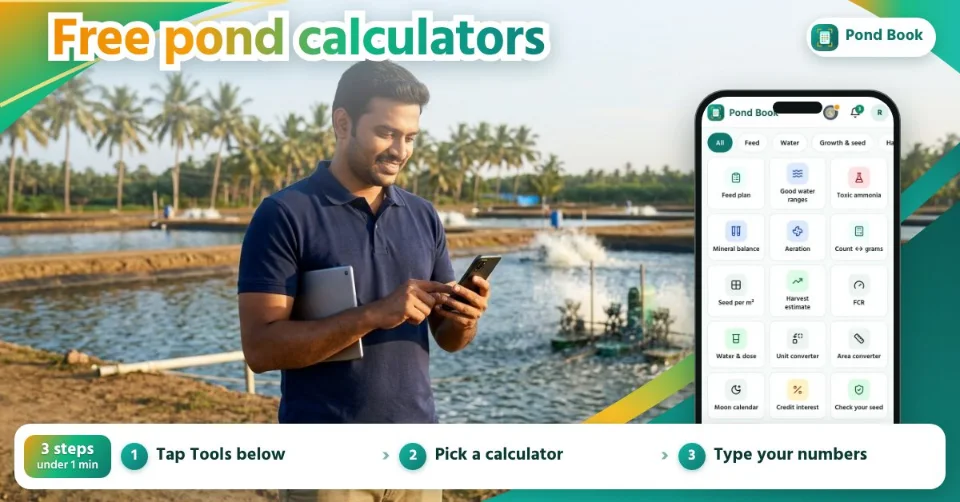
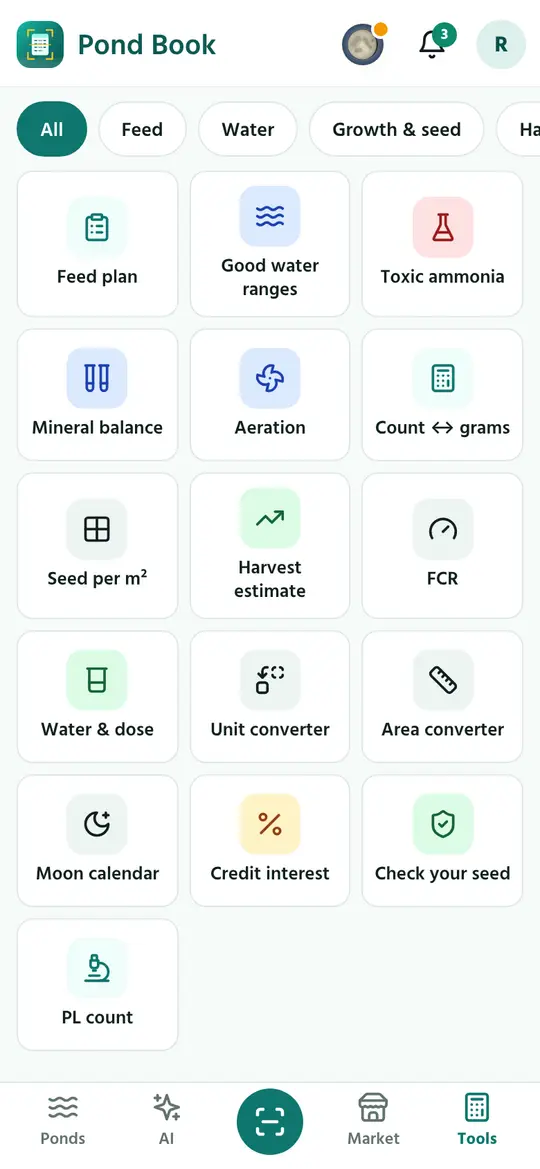
Pond Book tip: Free pond calculators

Free pond calculators

FCR, feed plan, aerator HP, count to grams, moon days and more. They work without signal.

3 steps · see the screen
Pond Book screen: Free pond calculators
  1. Tap Tools below
  2. Pick a calculator
  3. Type your numbers

Reminders & more

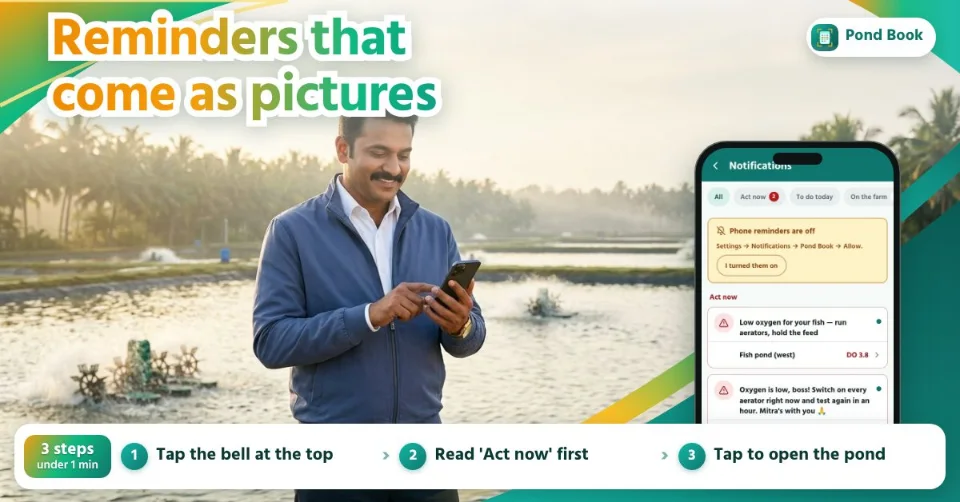
Pond Book tip: Reminders that come as pictures

Reminders that come as pictures

Low oxygen at dawn, feed time, moult days and rain: Pond Book reminds you before it is too late.

3 steps · see the screen
Pond Book screen: Reminders that come as pictures
  1. Tap the bell at the top
  2. Read 'Act now' first
  3. Tap to open the pond
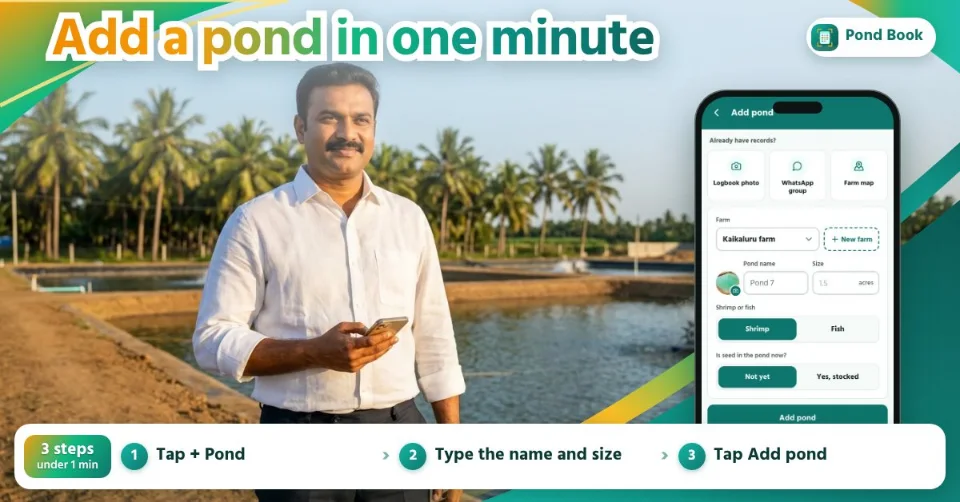
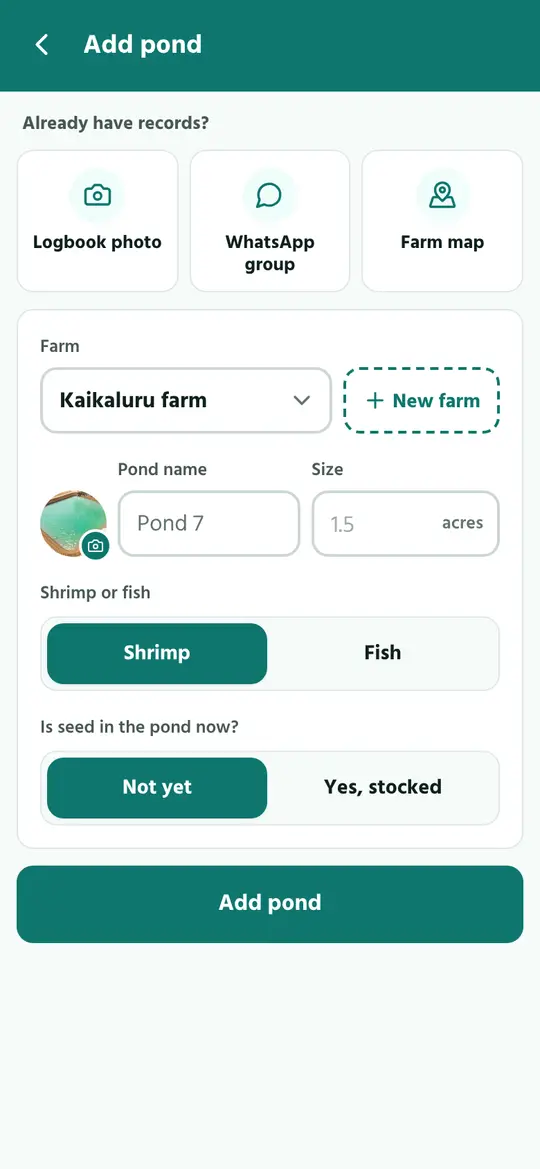
Pond Book tip: Add a pond in one minute

Add a pond in one minute

Name, size and stocking. Or scan your logbook, bring in a WhatsApp group, or mark it on the farm map.

3 steps · see the screen
Pond Book screen: Add a pond in one minute
  1. Tap + Pond
  2. Type the name and size
  3. Tap Add pond
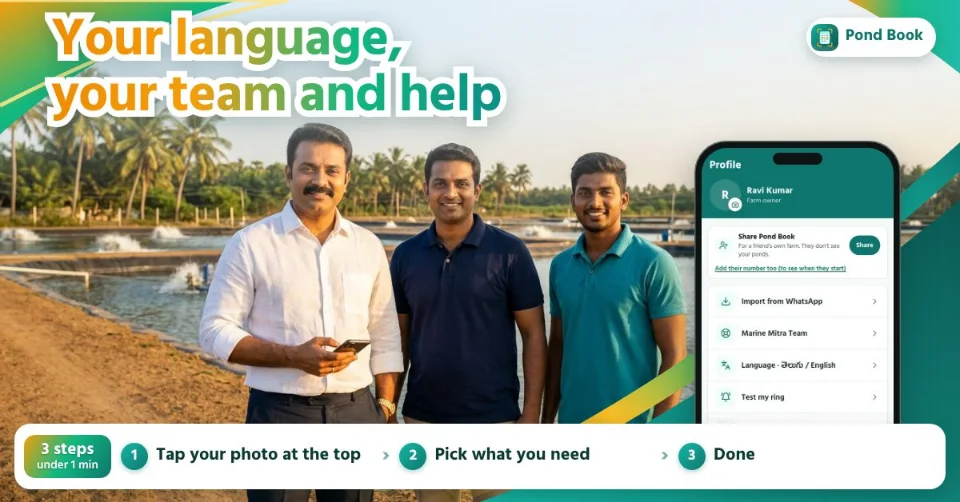
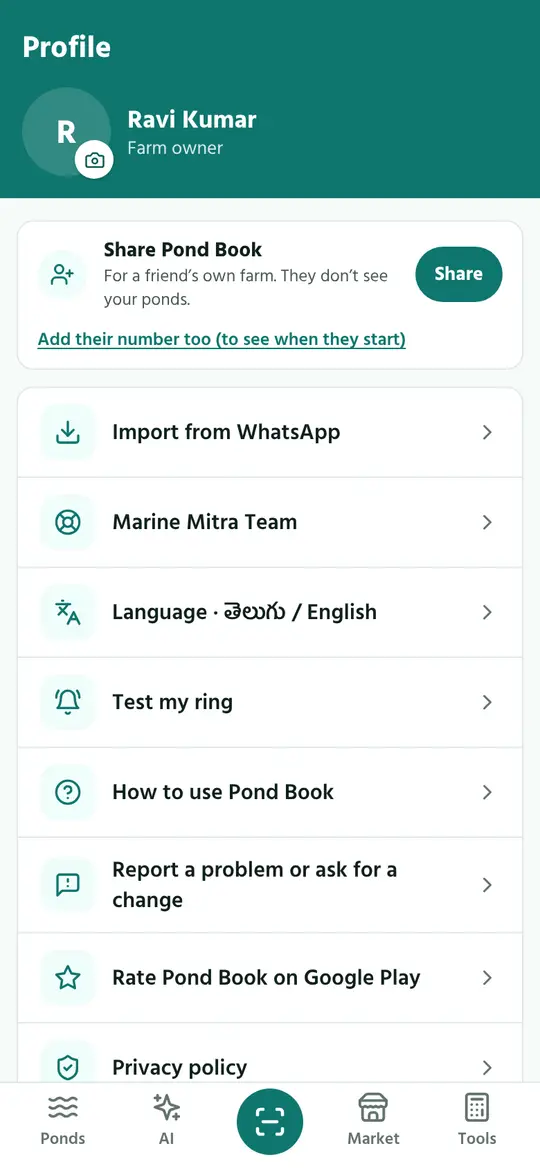
Pond Book tip: Your language, your team and help

Your language, your team and help

Switch between Telugu and English, invite your team, bring in WhatsApp chats, and report a problem.

3 steps · see the screen
Pond Book screen: Your language, your team and help
  1. Tap your photo at the top
  2. Pick what you need
  3. Done

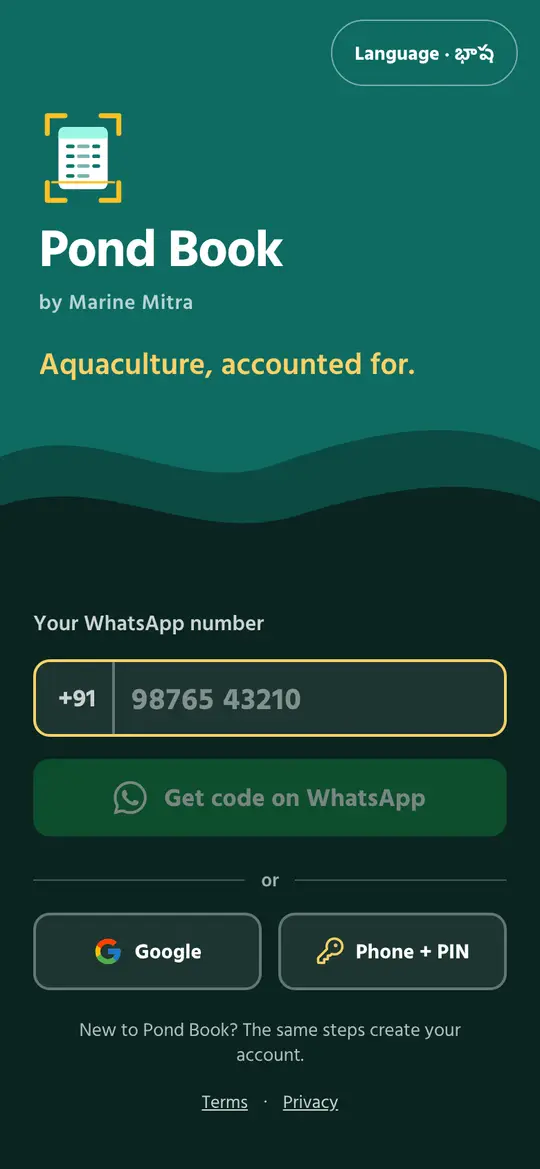
Sign in with WhatsApp

No password to remember: Pond Book sends a code on WhatsApp. Google, or phone and PIN, also work.

3 steps · see the screen
Pond Book screen: Sign in with WhatsApp
  1. Type your number
  2. Tap Get code on WhatsApp
  3. Type the code

Shrimp or fish

Each pond, its own rules.

Pick the culture when you add a pond. Feed, sampling, sizes, FCR and harvest follow that species — never shrimp maths on a fish pond.

Shrimp ponds

Feed plan by day of culture and body weight, check trays, count and grams, moult days, PL count.

  • Vannamei
  • Tiger shrimp

Fish ponds

Feed in bags or pellets, monthly weighing by kind, trail net, dead fish and fish FCR.

  • Rohu
  • Catla
  • Mrigal
  • Pangasius
  • Roopchand

Pond Book at a glance

What it is
One app to run a shrimp or fish farm: farm chat, pond books, money, stock and staff, with an AI assistant
Made by
Marine Mitra, Bhimavaram, Andhra Pradesh, India
For
Farm owners, managers, pond workers and partners
Languages
Telugu, English, Hindi, Odia, Bengali, Tamil, Malayalam, Kannada, Marathi, Gujarati
Price
Free, no ads
Works on
Android phones and the web, with or without signal
Guidance from
CIBA, CAA and FAO water and feed guides
Your data
Seen only by your farm; delete any time

Price

₹0forever

Start free
  • Every feature, for every pond and every farm
  • Your whole team: owner, managers, workers and partners
  • No ads. Marine Mitra never sells your data
  • Your farm's records are seen only by your farm; delete your account any time

Questions

Questions

What is Pond Book?

Pond Book is a free app by Marine Mitra that runs a shrimp or fish farm from one phone. The owner, managers and pond workers write in one farm chat — typing, voice or a photo of the paper logbook — and Mitra turns it into each pond's daily book: feed by meal, deaths, water tests, net samples, medicine and bills. It also keeps the farm's khata, godown stock, staff salaries, tasks and harvests, and shows today's shrimp prices and licensed hatcheries. It works without signal, in 10 Indian languages.

Is there a shrimp farming app for farmers in Andhra Pradesh?

Yes. Pond Book by Marine Mitra is a free shrimp and fish farming app made in Bhimavaram, Andhra Pradesh. It is Telugu first and also works in English, Hindi, Odia, Bengali, Tamil, Malayalam, Kannada, Marathi and Gujarati. It keeps every pond's records, the farm's money and feed stock, and shows today's shrimp prices count by count. It is on Google Play and works in the phone's browser.

How does the farm chat work?

Every farm has one chat, like a WhatsApp group, and every pond has its own. Type “54 kg”, “Meal 2 18 kg” or “12 dead”, send a voice note or a photo, and Mitra puts it in the right pond's book with who wrote it and when. The owner sees every entry as it is written; a worker sees only the farm he is added to, and never its money.

Can Pond Book keep the farm's money — bills, khata and salaries?

Yes. Share a PhonePe or GPay screenshot, or photograph a bill, and Mitra reads the amount and who was paid. The khata shows money in and money out farm by farm, the godown counts feed bags in and meals out, and the staff page keeps each worker's salary, advances and what is still owed. Workers never see money.

Does Pond Book show today's shrimp prices?

Yes. The Market tab shows today's shrimp prices from 20 to 100 count — green when up, red when down — with the last 30 days on a line, and seed prices with CAA-licensed hatcheries near you.

Which shrimp and fish can I keep in Pond Book?

Vannamei and tiger shrimp, and fish ponds: rohu, catla and mrigal together, pangasius (alone or with some rohu) and roopchand. Pick the culture when you add the pond; a fish pond gets fish rules and a shrimp pond gets shrimp rules.

How do I digitize my shrimp pond logbook?

Take a photo of a logbook page in Pond Book. Mitra reads every row — the date, day of culture, feed by meal, the day's total and deaths — checks the page's own sums, marks anything it is unsure of, and saves nothing until you tap Save all. Photographing the same page again never doubles a day.

Can Pond Book count PL (shrimp seed)?

Yes. In a shrimp pond's Tools, PL count lets you count the PL from a cup by tapping a big button once for each PL, or from a photo of a white bowl: Mitra marks every PL it finds and you check, adding a missed one or removing a wrong mark. The count can be used as the pond's seed count.

How much feed should I give vannamei shrimp?

A common guide is a share of the shrimp's body weight each day: about 3.8% at 8–12 g, 3.2% at 12–16 g, 2.8% at 16–20 g, 2.4% at 20–25 g and about 2% beyond 25 g, multiplied by the kilos of shrimp alive. Before 8 g, farmers follow a feed table by day of culture and lakh of seed. Adjust with the check tray: an empty tray allows a little more; half left means cut about 10%.

What is FCR and what is a good FCR for shrimp?

FCR (feed conversion ratio) is the kilos of feed given divided by the kilos of shrimp grown. Many vannamei farms aim for about 1.2–1.5; lower is better. An FCR below about 0.9 usually means more shrimp were assumed alive than really are, so Pond Book asks how many are alive instead of showing that number.

When should I check dissolved oxygen (DO) in a shrimp pond?

Just before sunrise, when oxygen is lowest. Keep it above 4–5 mg/L; 3–4 mg/L stresses shrimp and below 3 mg/L they can die at dawn. Pond Book reminds you at dawn and cuts the day's feed plan when dawn DO is low.

What water quality is good for vannamei shrimp?

Generally: dissolved oxygen 5–12 mg/L, pH 7.5–8.5, temperature 28–32 °C, salinity 10–25 ppt, total ammonia below 0.5 mg/L, alkalinity 100–180 mg/L and water transparency 30–40 cm (CIBA, CAA and FAO guidance).

Does Pond Book work without internet?

Yes. Records, photos and bills saved at the pond are kept on the phone and sent when signal returns; photos you have opened stay on the phone, and the phone's own reminders ring without signal.

Is Pond Book free, and which languages does it support?

Pond Book is free and has no ads. It is built Telugu first and works in 10 languages: Telugu, English, Hindi, Odia, Bengali, Tamil, Malayalam, Kannada, Marathi and Gujarati.

Who can use Pond Book?

Owners, managers, pond workers and partners of shrimp and fish farms. Owners see every record their team writes; a worker sees only the farm he is added to, and never its money.

Is my farm data private?

A farm's records are visible only to the people on that farm. Marine Mitra does not sell data, and you can delete your account in the app or at marinemitra.com/delete-account.
Free, no sign-in

Pond tools and guides

Each calculator shows its steps and works without signal; each guide names its sources.

Vannamei feed by day of culture

Kilos per lakh in the first month, then % of body weight and check trays, with a feed-per-day sum.

FCR calculator for shrimp and fish

Kilos of feed ÷ kilos grown, and an estimate before harvest.
Shrimp count ↔ grams

Count to grams, grams to count, and growth per week.
Aerators: HP per pond

Kilos alive ÷ 300 = HP, and why oxygen is lowest at dawn.

Shrimp molting

How often, feed on molt days, and what to write in the book.

Seed checks before stocking

CAA registration, PCR, stress test and acclimation.

Your ponds, in your pocket.

Free forever. Ready in a minute. In your language — even with no signal.